How to update a company's grading
Overview
RMS provides a simple, intuitive way to manage and update a company’s grading setup, ensuring processing rules stay aligned with operational needs. You can access the full list of grading companies and make updates as needed. The clean, structured layout keeps grading information transparent and easy to maintain, helping you ensure consistent handling, visibility, and accuracy across all grading‑related workflows.
How to update a company's grading
- Log in to Returns Management System (RMS).
- On the sidebar menu, click Settings. A dropdown list of setting properties appears below Settings.
- Click Company Configuration. The Settings: Company Configuration page appears on the right.
- In the companies list table, click the Edit (Pen) icon for the company whose grading you want to update.
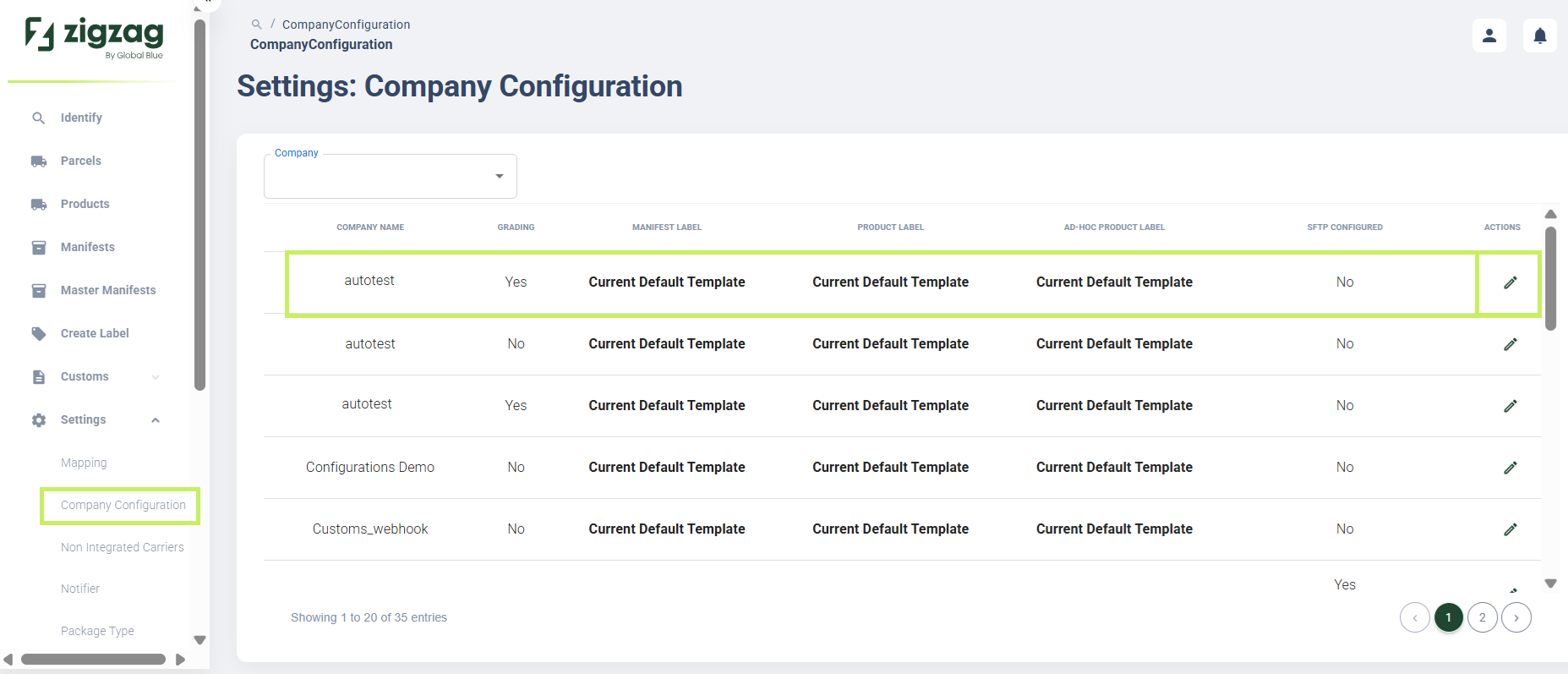
The company page apppears.
5. Select the Grading tab to update the company's grading. The Company grading page appears.
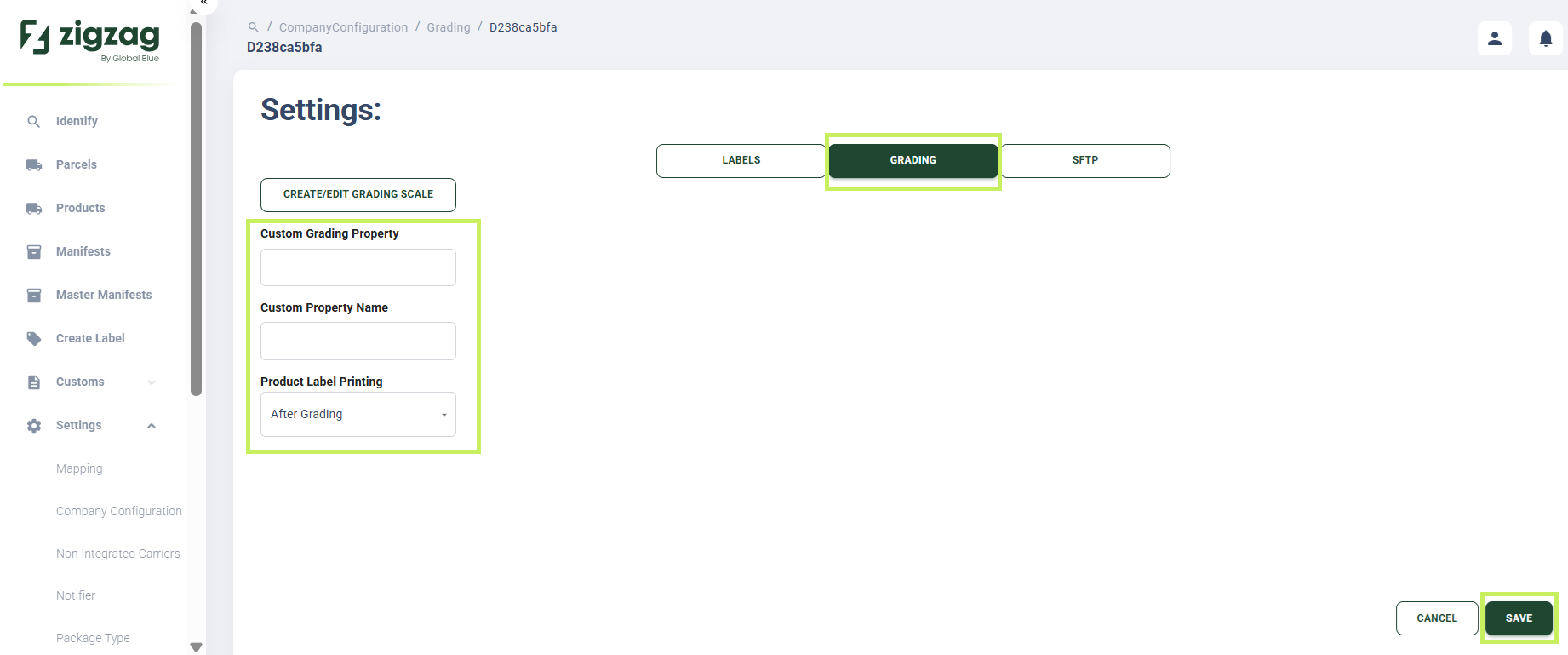
- On the Company grading page, you can update the following fields:
- Custom Grading Property - fill in the custom grading property
- Custom Property Name - fill in the custom property name
- Product Label Printing - from the dropdown menu, select the option you prefer for the product label printing
- Click Save.