Status Page
Purpose
The ZigZag Status Page has been designed to allow users to view and subscribe to alerts reporting on issues affecting the Returns service.
Access
To access the Status Page, you need to follow the link below. There are no user accounts or access controls associated with the page.
Viewing System Statuses
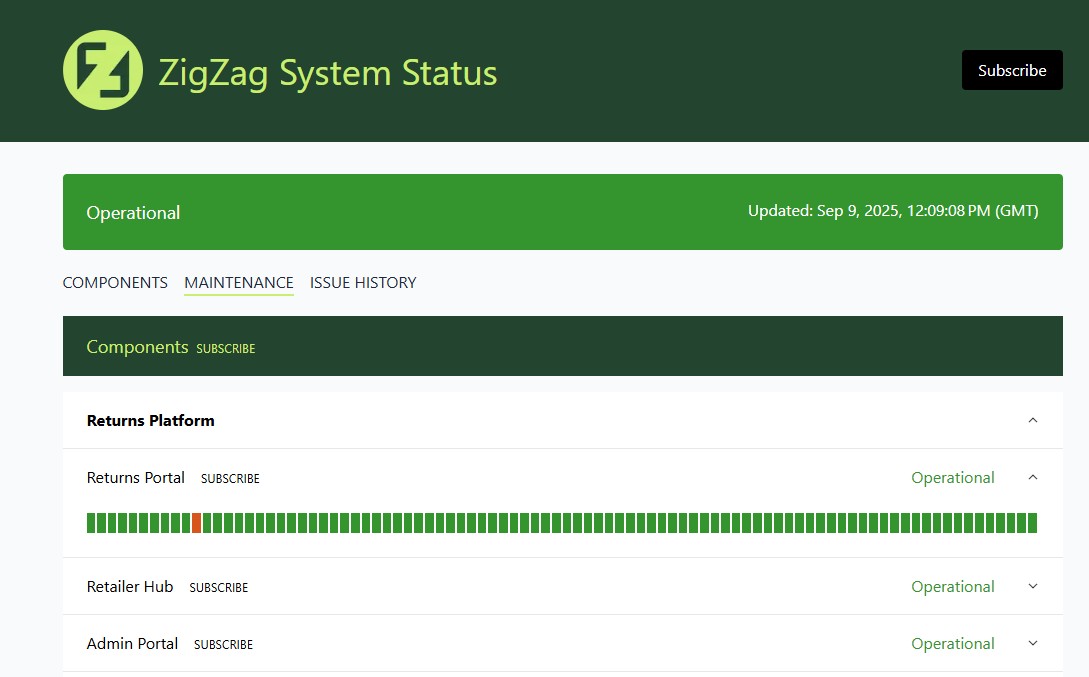
When viewing the Status Page, the top banner will give you the overall status of the system. You can also view the individual component level status of the system by scrolling down the page. Expanding each component will give you a historic view with any highlighted recorded issues.
Subscribing
Subscribe to all
You can subscribe to all updates on the Status Page by clicking on the Subscribe button at the top of the page

Subscribe at group level
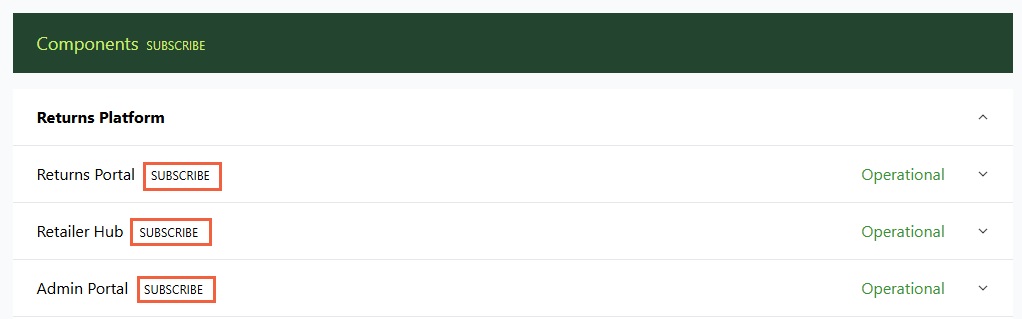
Click on the Subscribe button on either the Component or Maintenance headers to receive updates on all related items in that group


Subscribe at component level
You can choose individual components to subscribe to by clicking on the corresponding item within the component list
Subscription Options
You can choose to either subscribe to email notifications or to link this to your own Webhooks. After clicking on any of the Subscribe options, you will be presented with the following screens to enter the appropriate information on how to receive your notifications.
Email Subscription
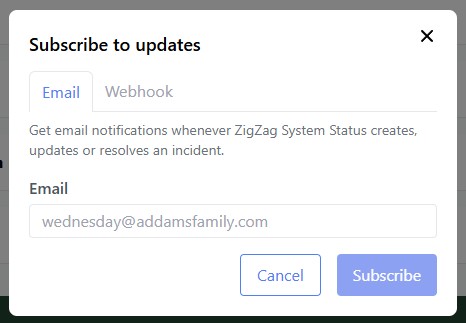
Enter your email address, click the Subscribe button and you will receive updates as they are published.
Webhook Subscription
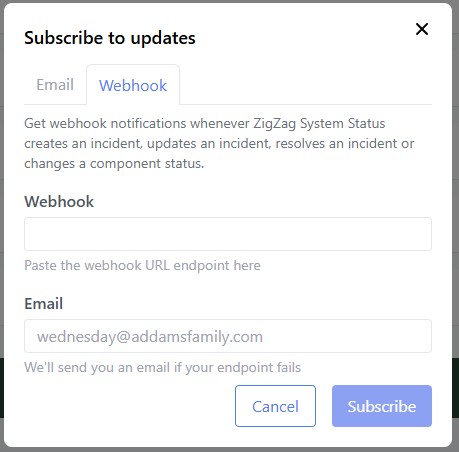
Enter your webhook URL into the field. You can also enter an email address to notify you in case there are any webhook failures when sending alerts.
Support
For any questions or problems you may encounter using the Status Page, please contact ZigZag support at support@zigzag.global