How to cancel a return
Overview
This page will guide you how to cancel a return in Retailer Hub.
How to cancel a return
info
If you require a refund for the return, please contact ZigZag support at support@zigzag.global
There are two available options to cancel a return
Cancel from Manage Returns table
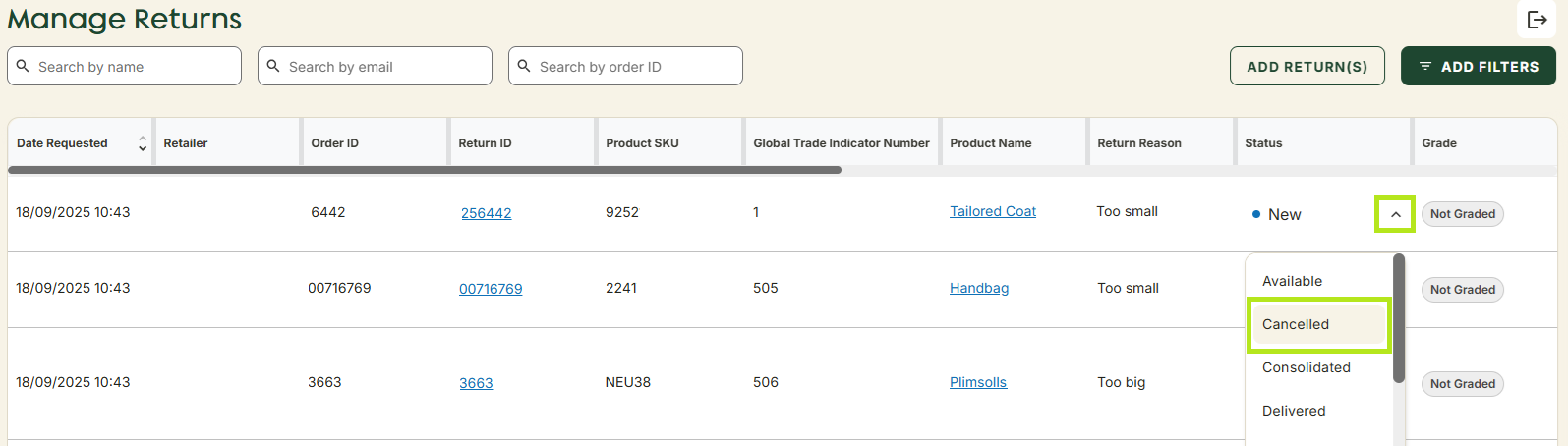
- Navigate to Manage Returns page in the left hand menu.
- Find the necessary order in the table or via the search fields.
- Click the Status dropdown on the order line and select Cancelled.
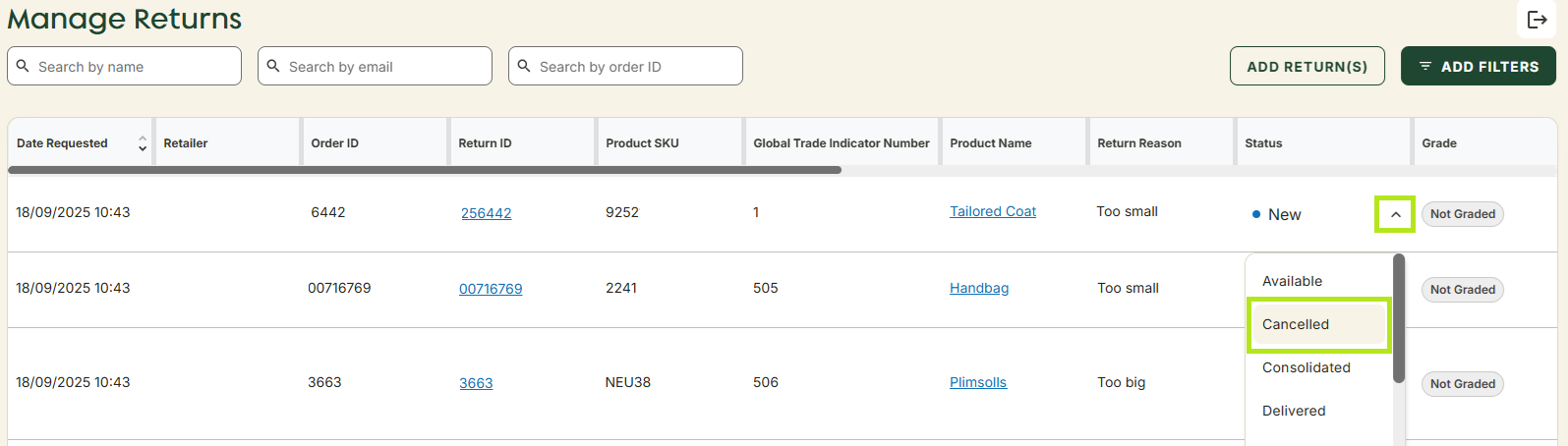
- The return is cancelled.
Cancel from Return Details page
- Navigate to Manage Returns page in the left hand menu.
- Find the necessary order in the table or via the search fields.
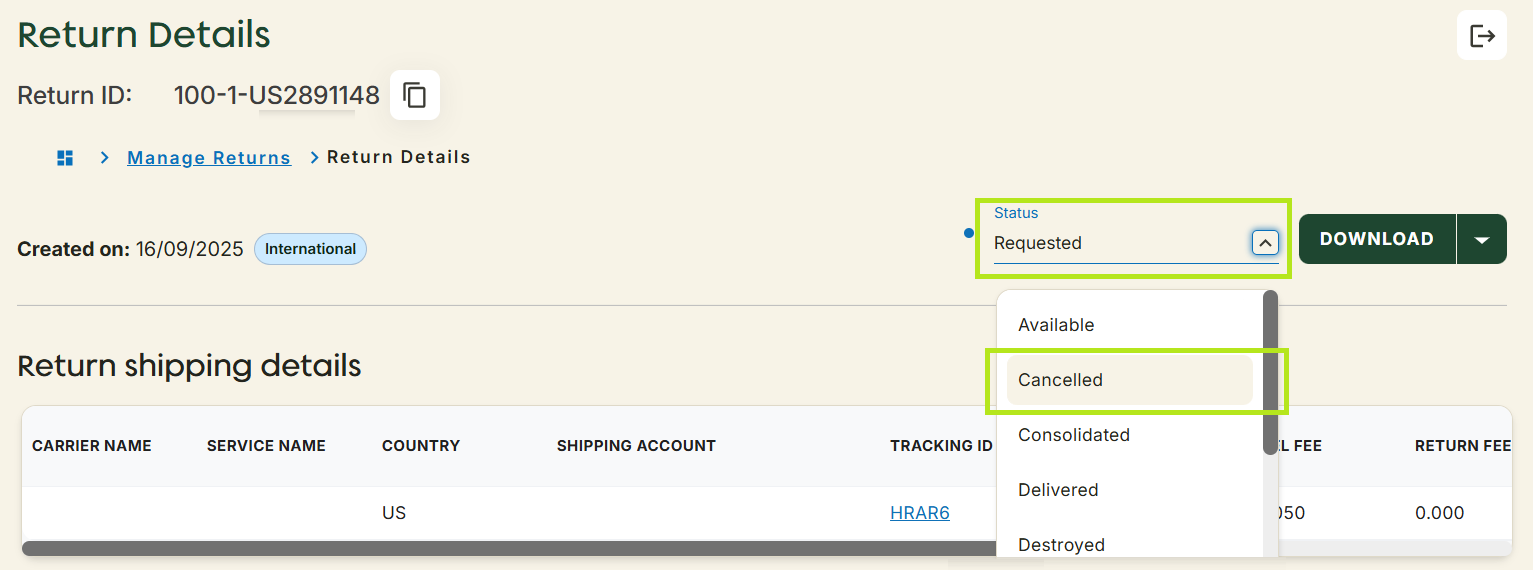
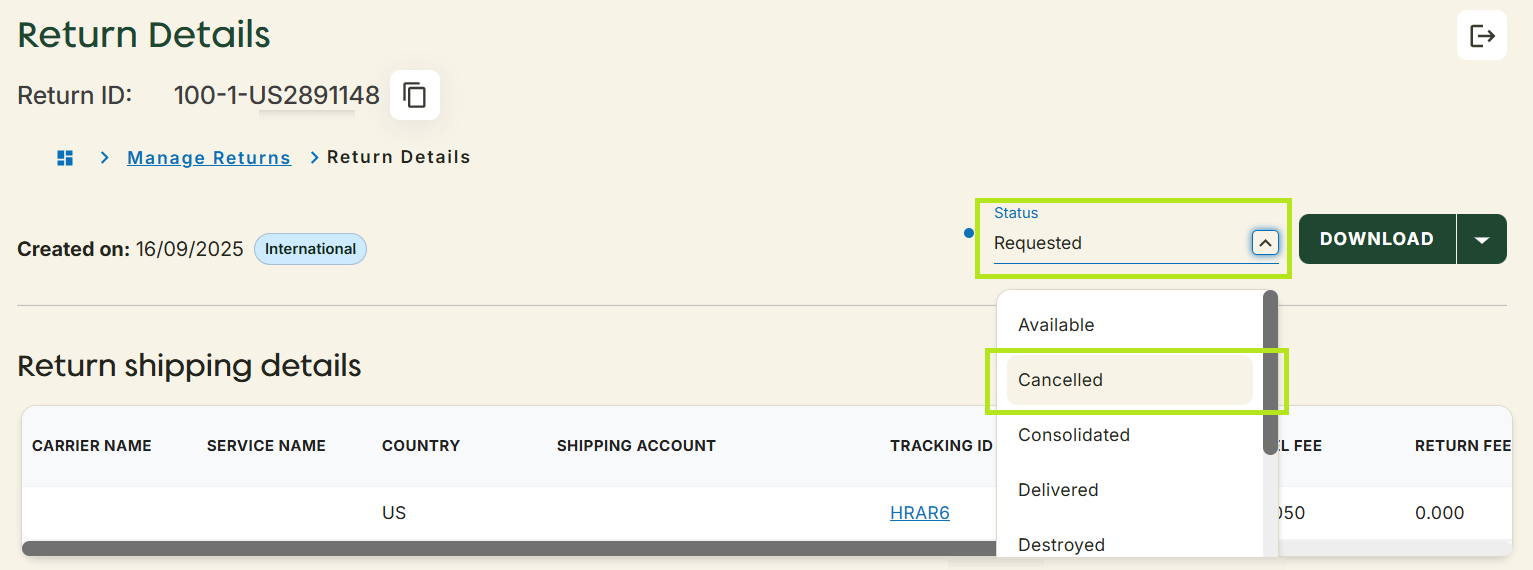
- Click the required Return Id to open the Return Details page.
- Click the Status dropdown.
- Select Cancelled.
- A pop-up window will appear prompting you to choose a cancellation reason.
- Select a reason from the dropdown.
- Click Yes, Cancel button.
- The return is cancelled.