Consult Return Details
Overview
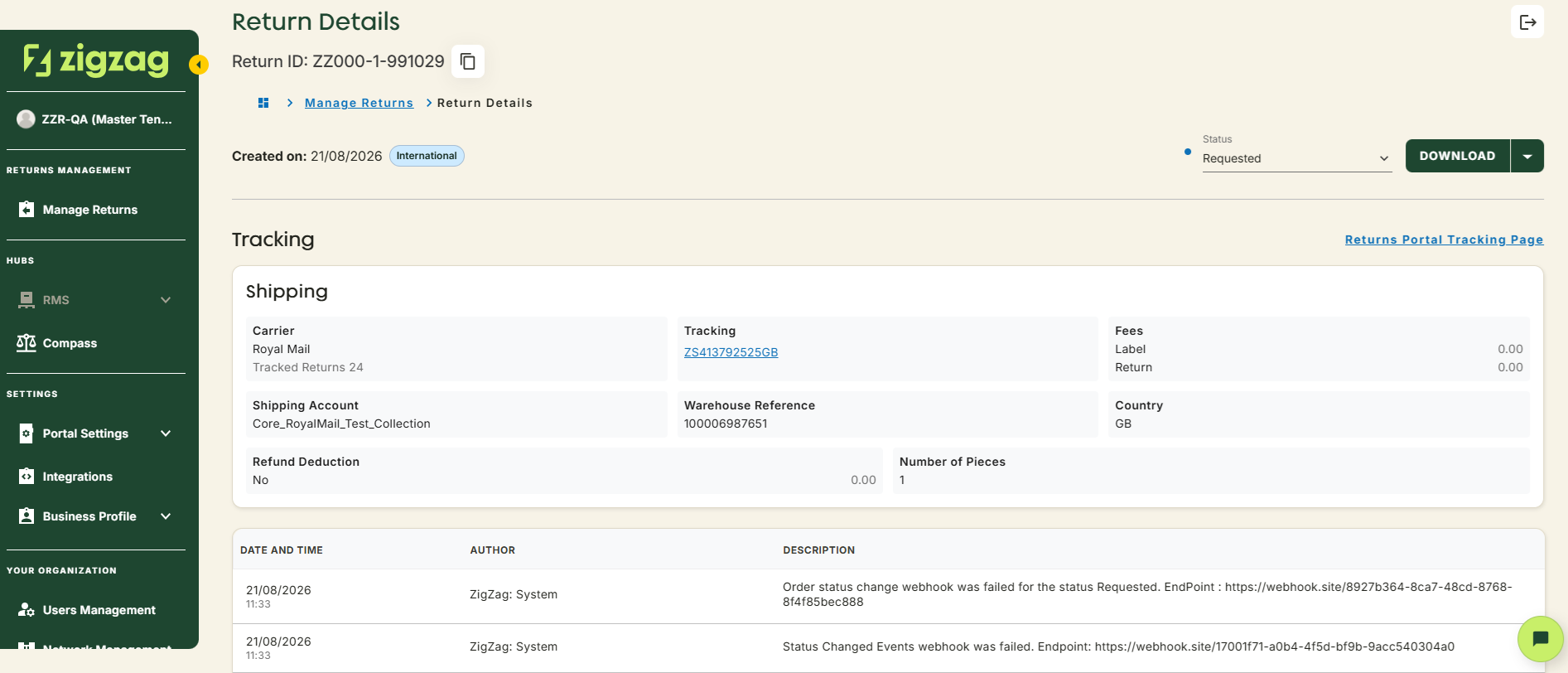
The Return Details page provides you a complete overview of a specific return, from customer information to the return reason, status, and associated documents. You can access it from the Manage Returns page by clicking on the Return ID of any listed product. This page is designed to help you stay on top of every detail.
How to access - Go to Manage Returns page and click on the Return ID of any listed product.
Capabilities and available actions
- Return ID: You can easily copy the Return ID with a single click
- Tracking section Info: View all the relevant shipment and tracking information like tracking ID and carrier service
- Collection or Drop-off Info: See how and where the return is being sent from
- Consolidation Table: Track consolidated shipments
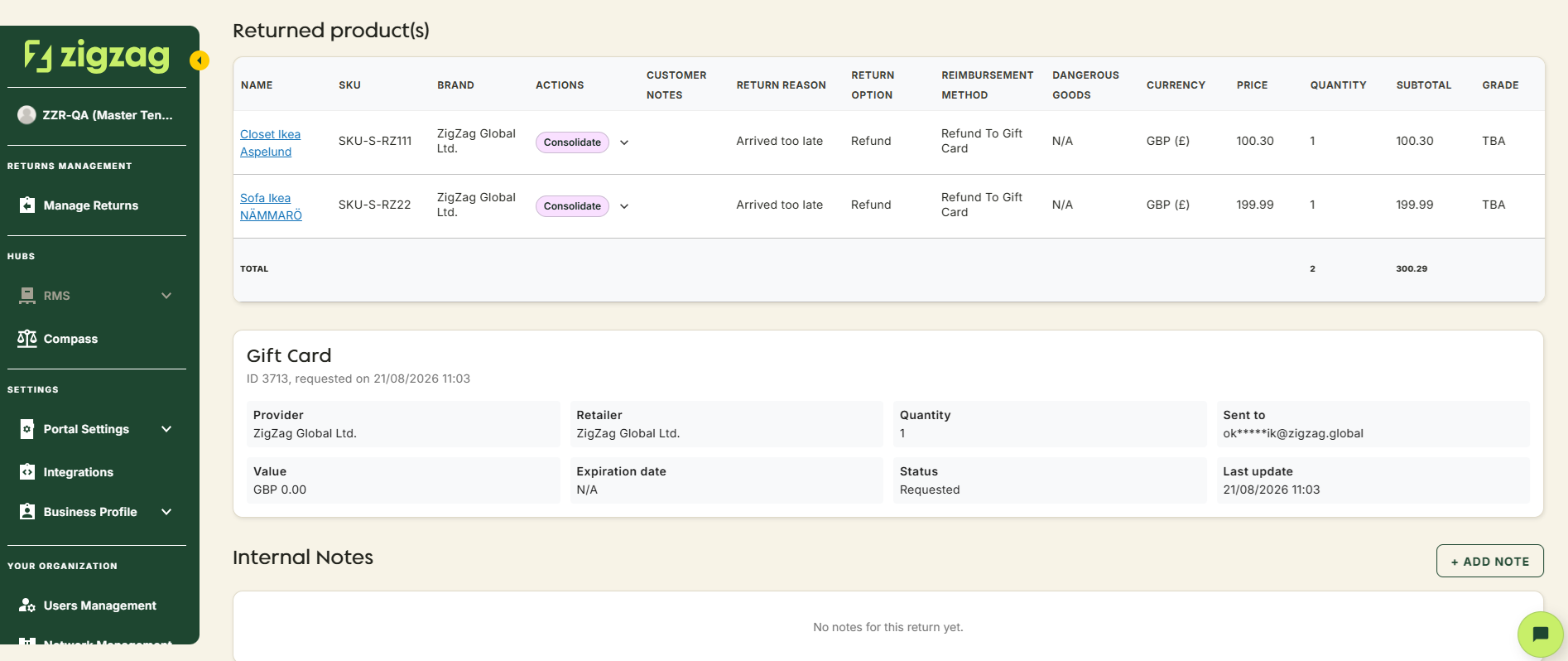
- Returned Products: See all the returned items. Click on the product ID to jump to its details page, change its action, consult its manifest number, and more
- Gift Card Info: View all the relevant information on Gift Card usage
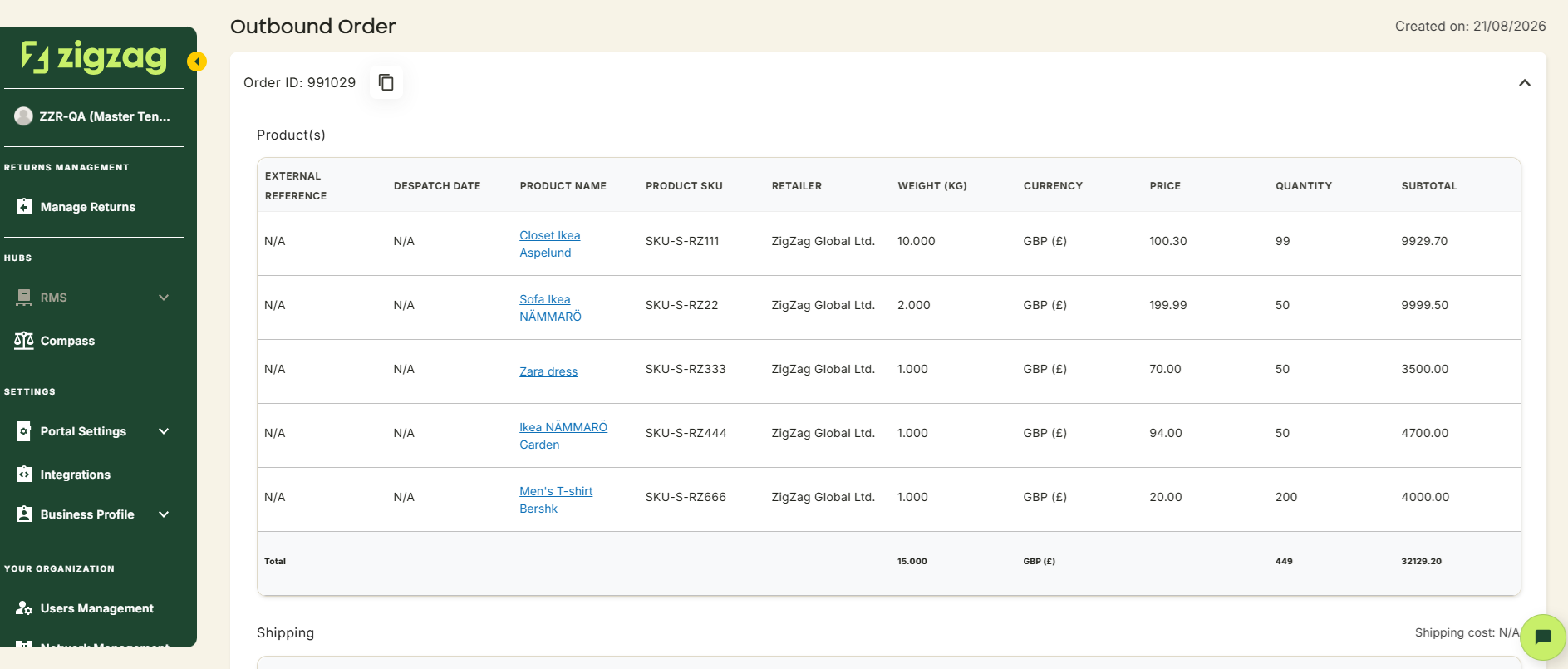
- Outbound Order Info: View the full original order
- Customer details: Everything you need to know about the customer who made the return
- Change the status: You can also update the status right from this page
- Download documents: There are options to download documentation associated with the return, like label, additional label, invoice, waybill and others. Choose if you want to download all documents at once, or only a specific one
- Request failed label: Generation of label has failed? No worries, you will see it clearly flagged at the top of the page. Click on "Request Label" to generate a new one
- Manage notes: Add, edit or delete notes at the return level. Use this to record internal comments, special instructions or important context so your whole team stays aligned
Coming Soon
Retailer Hub is constantly evolving based on feedback. These core pages give your teams the foundation to support returns quickly and clearly, with the connected data across the board!