How to change product actions
Overview
On the Return Details page, you can view and update the action associated with each returned product. This allows you to specify what should happen next with an item once it has been received - for example, whether it should be refunded, exchanged, or discarded. Having the right action assigned helps keep return handling accurate and ensures your warehouse or operations teams know exactly how to process each item
How to change product actions
- Go to Return Details page
- Scroll to the Returned Products Details table
- Find the product you want to update
- In the Action column, click the dropdown menu to view all available options
- Select your preferred option
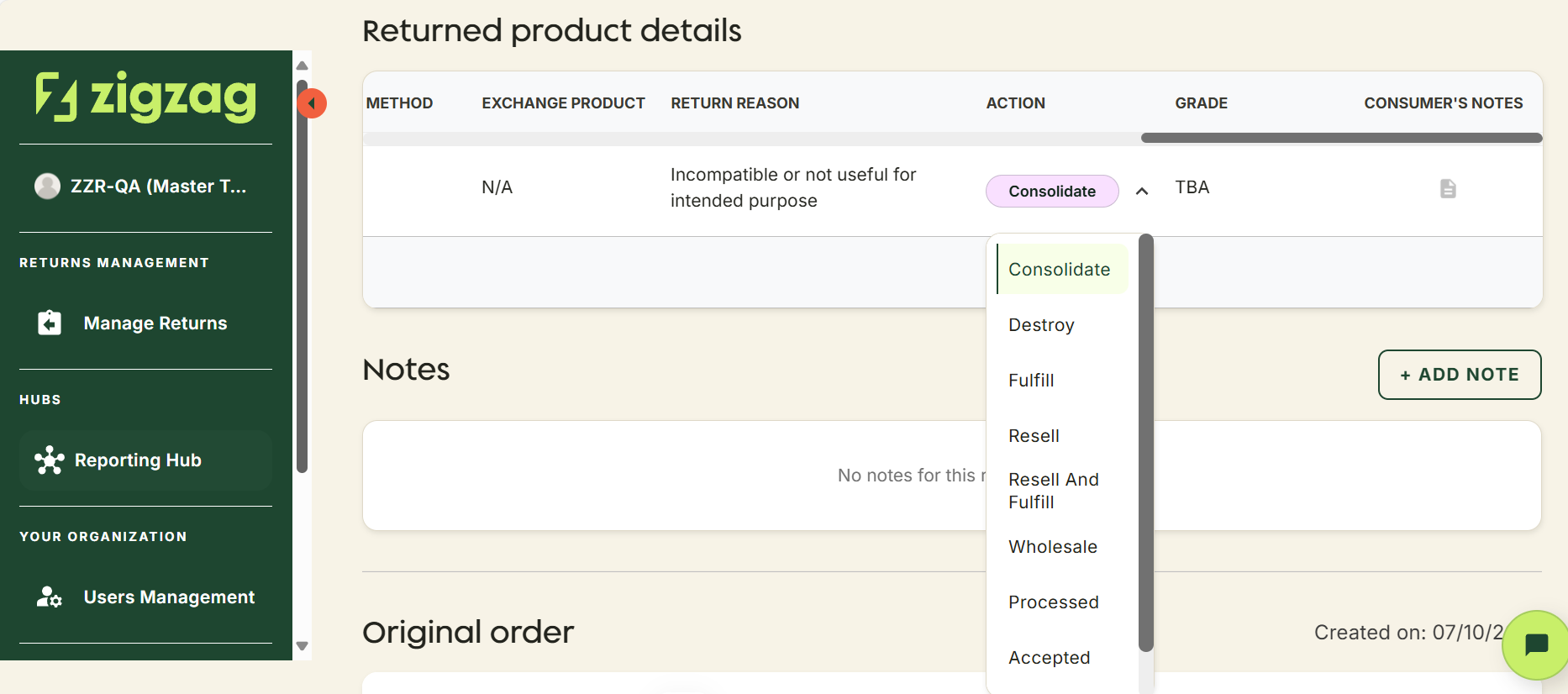
Once selected, the change will automatically update and be reflected for all users with access to the return
A confirmation message will appear on the screen to let you know the update was successful
Retailer Hub is constantly evolving based on feedback. These core pages give your teams the foundation to support returns quickly and clearly, with the connected data across the board!