Managing Notes
Overview
The Notes feature allows you to add and manage internal comments at the return level. This helps your team capture context, special instructions or updates about a return - all in one place. Notes are visible to everyone in your organisation with access to the Retailer Hub, so your team can stay aligned without relying on external tools.
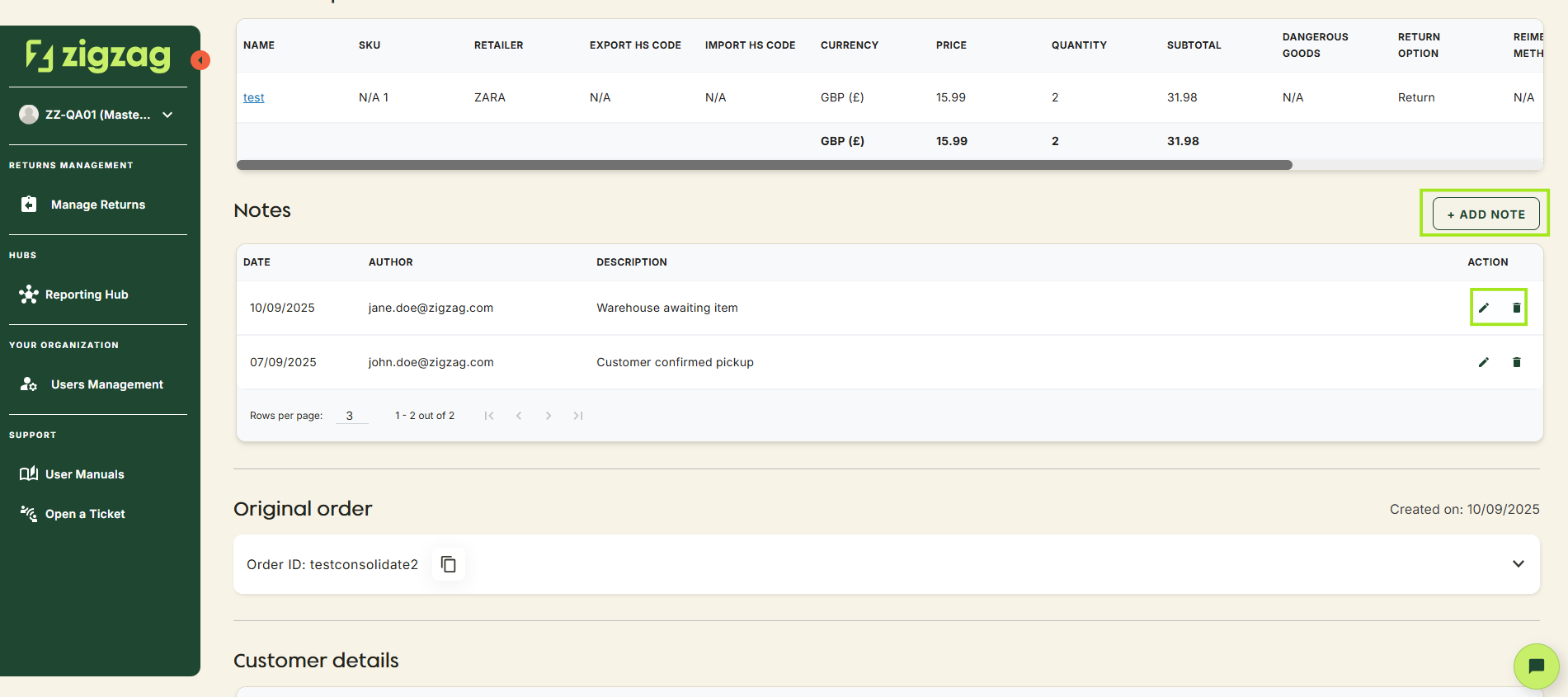
How to manage notes
- Go to the Return Details page of the return you want to update
- Scroll to the Notes section
- Add a note:
- Use the "Add Notes" button to create a new note
- Type your message. This could include customer communication, warehouse updates or reminders for your teams
- Edit a note:
- Use the edit icon next to the selected note
- You can easily modify existing notes to ensure information stays accurate
- Delete a note:
- Use the delete icon next to the selected note
- Remove notes that are outdated or are no longer relevant
- View Notes:
- Quickly see the full history of notes associated with a return, giving you a clear record of interactions and updates
All updates happen instantly and are visible to other users in your organisation with access to Retailer Hub
Coming Soon
Retailer Hub is constantly evolving based on feedback. These core pages give your teams the foundation to support returns quickly and clearly, with the connected data across the board!