How to add an alternative "from" address for Over-label workflow
Overview
RMS alternative address for over‑label workflow allows you to generate carrier labels using a configurable alternative "from" address instead of the physical processing warehouse. This removes previous restrictions on label types and enables returns to be re‑routed more flexibly, for example processing a return in one country while generating a domestic label for final‑mile delivery in another. The feature improves operational flexibility and supports more efficient, cost‑effective routing within the over‑label workflow.
When you don't add an alternative "from" address, RMS uses the Receiving Warehouse address as a default one for the Over-label workflow.
How to add an alternative "from" address for Over-label workflow
- Log in to Returns Management System (RMS).
- On the sidebar menu, click Settings. A dropdown list of setting properties appears below Settings.
- Click Mapping. The Settings: Mapping page appears on the right.
- In the mapping table, click the Edit icon for the Over-label mapping for which you want to add an alternative FROM address.
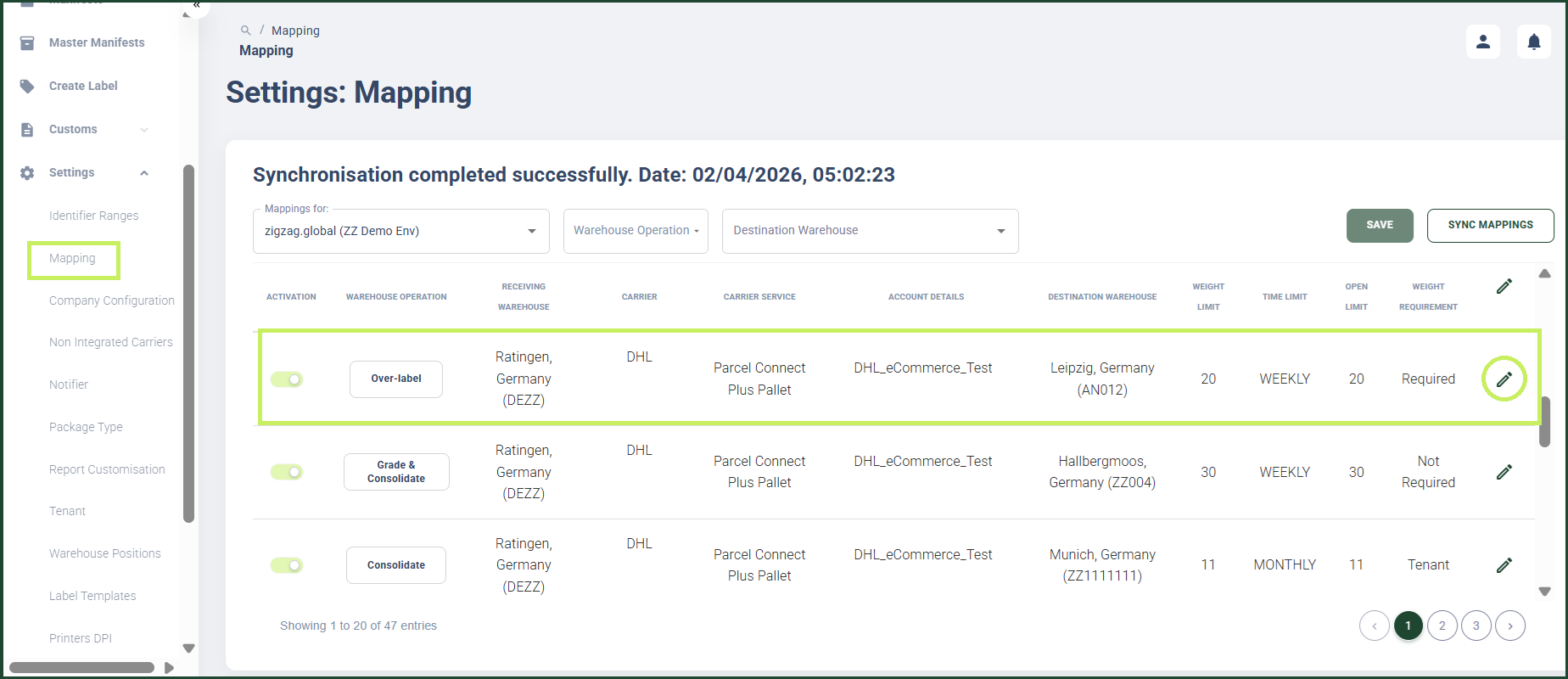
A configuration page appears for the specific mapping record you have chosen with different tab pages as options.
5. Click the Over-labelling tab. The Over-labelling tab page appears.
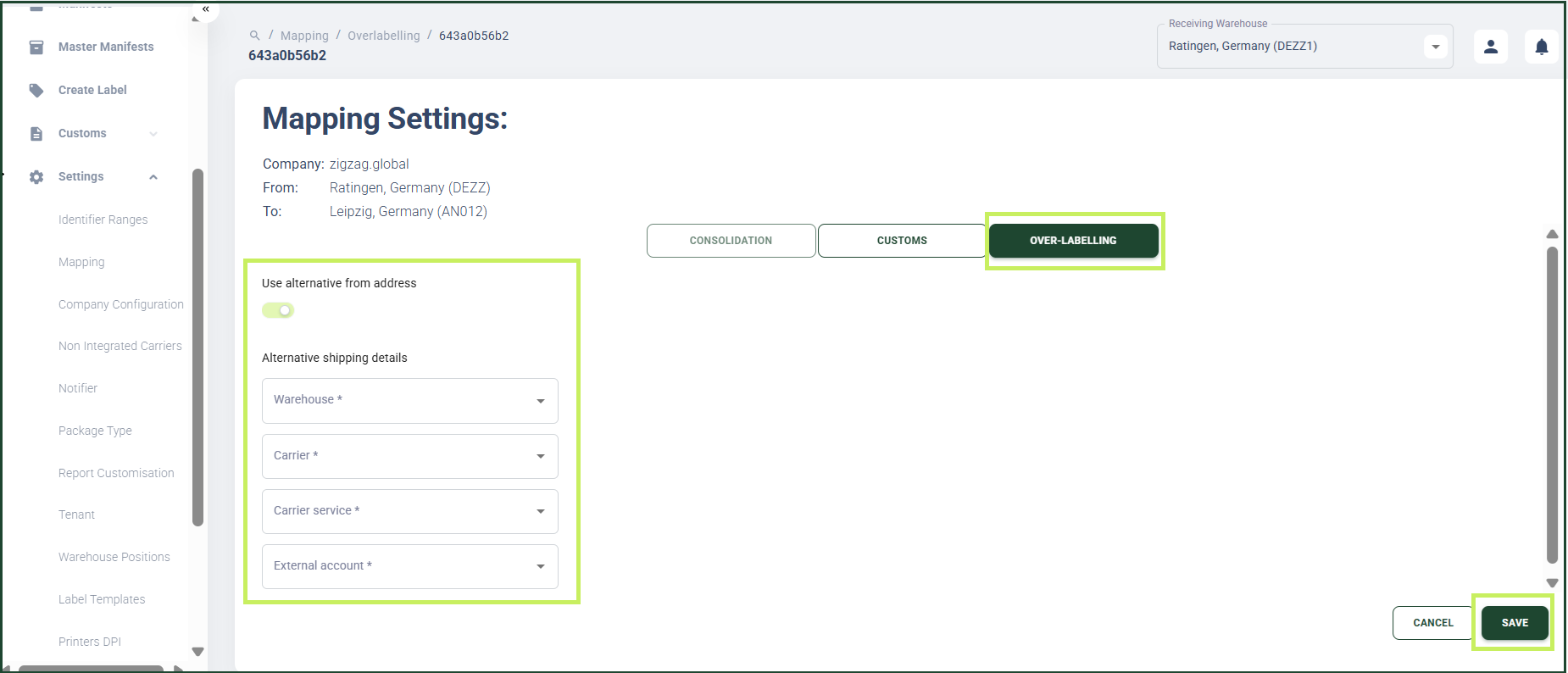
- In the Over-labelling tab page, enable the Use alternative from address toggle. An Alternative shipping details section appears.
- In the Alternative shipping details section, fill in the following fields:
- Warehouse - from the dropdown menu, select the warehouse from which you want the parcel to be sent
- Carrier - from the dropdown menu, select the carrier to execute the carrier service for the route
- Carrier Service - from the dropdown menu, select the carrier service for the route
- External account - from the dropdown menu, select the carrier external account to be used for the route
- Click Save.