How to sync mappings
Overview
RMS Sync Mappings feature ensures that all configuration data stays accurate, aligned, and up to date across environments. With a single click, you can trigger a synchronisation process that updates consolidation mappings by adding new entries, removing obsolete ones, and refreshing any changed settings.
How to sync retailer mappings
- Log in to Returns Management System (RMS).
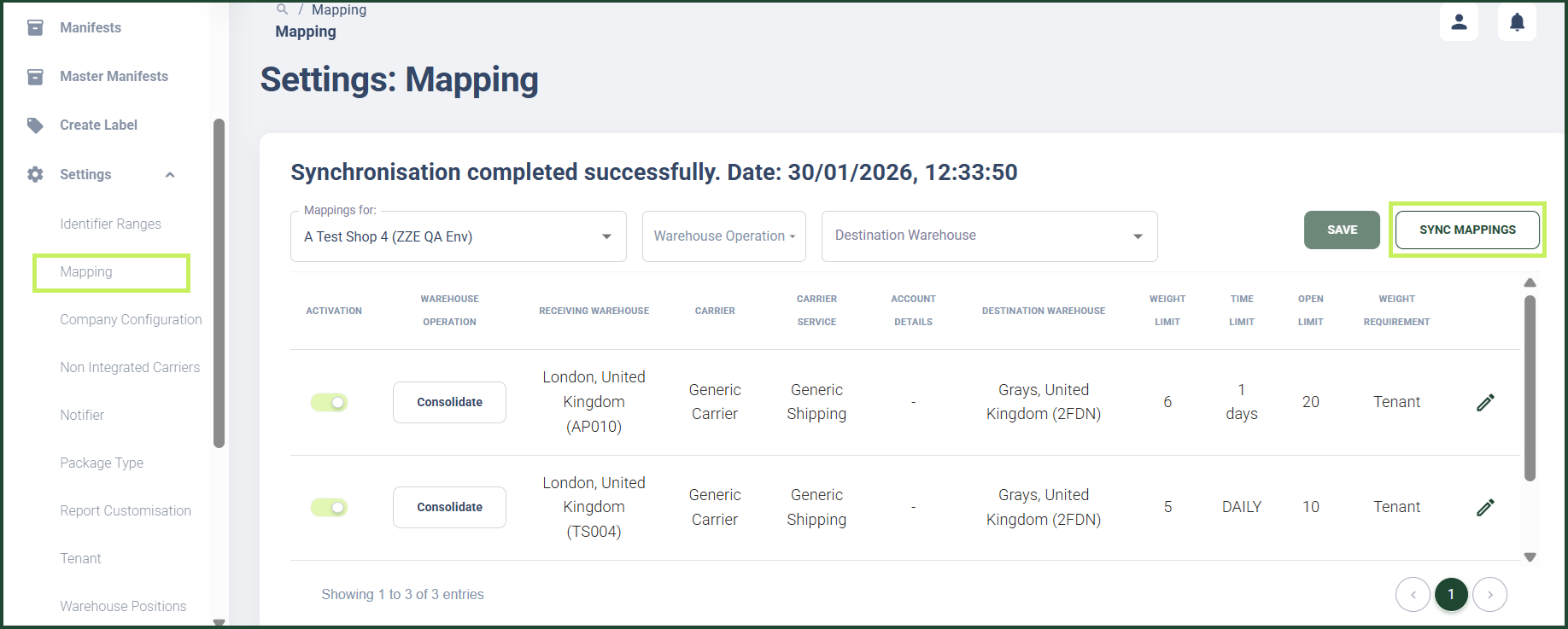
- On the sidebar menu, click Settings. A dropdown list of setting properties appears below Settings.
- Click Mapping. The Settings: Mapping page appears on the right.
- Click the Sync mappings button on the top right side of the page.
info
Consolidation mappings are automatically synchronised daily at 2 am UK time for all retailers of corresponding environments.