How to edit a mapping for Consolidate and Grade and Consolidate workflows
Overview
RMS makes it easy for you to edit retrailer mappings for Consolidate and Grade and Consolidate workflows. You can view and update key consolidation settings - such as manifest time limit, weight limit, open limit and weight requirement - to ensure parcels are grouped and shipped in the most cost‑effective way. The mappings synchronise automatically each day, keeping retailer configurations accurate and up to date while supporting smooth, predictable return flows.
How to edit a mapping for Consolidate and Grade and Consolidate workflows
- Log in to Returns Management System (RMS).
- On the sidebar menu, click Settings. A dropdown list of setting properties appears below Settings.
- Click Mapping. The Settings: Mapping page appears on the right.
- In the mapping table, click the Edit icon for the mapping you want to edit.
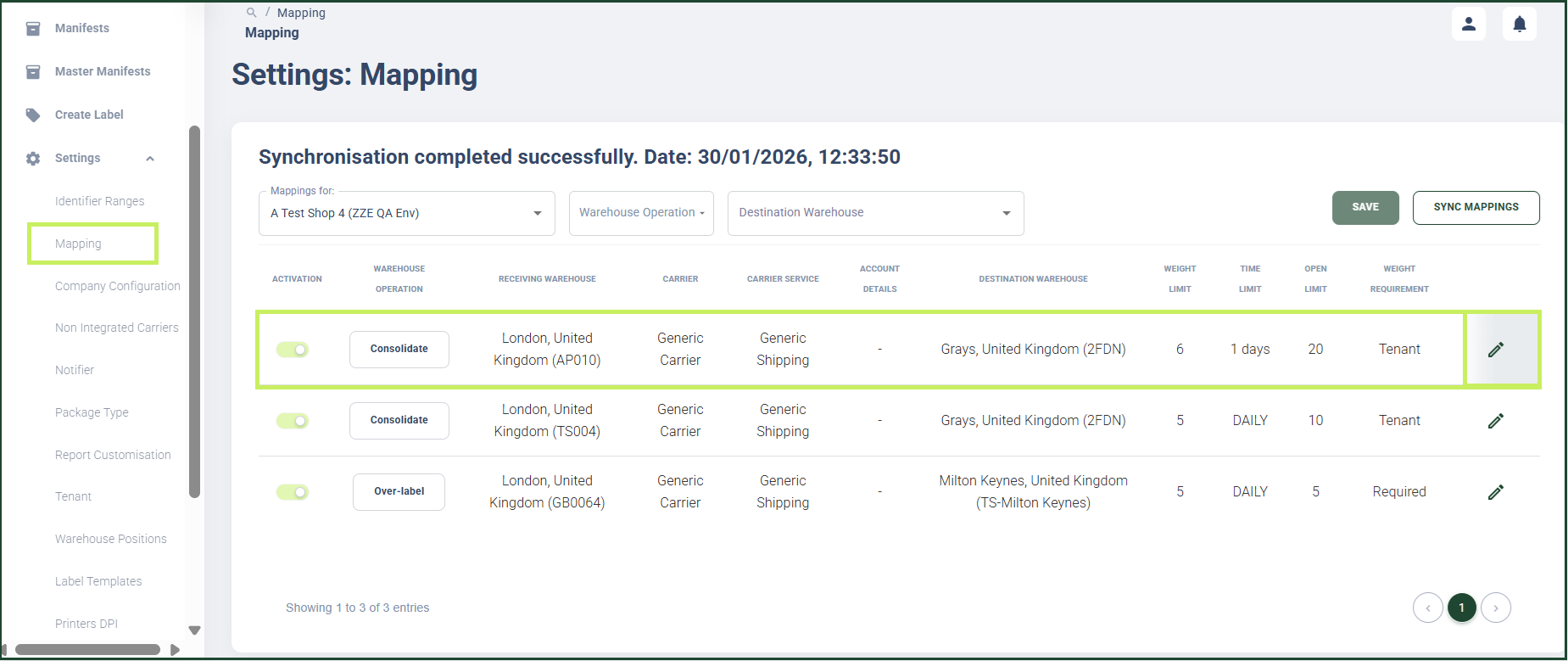
A configuration page appears for the specific mapping record you have chosen with different tab pages as options.
5. Click the Consolidation tab. The Consolidation tab page appears.
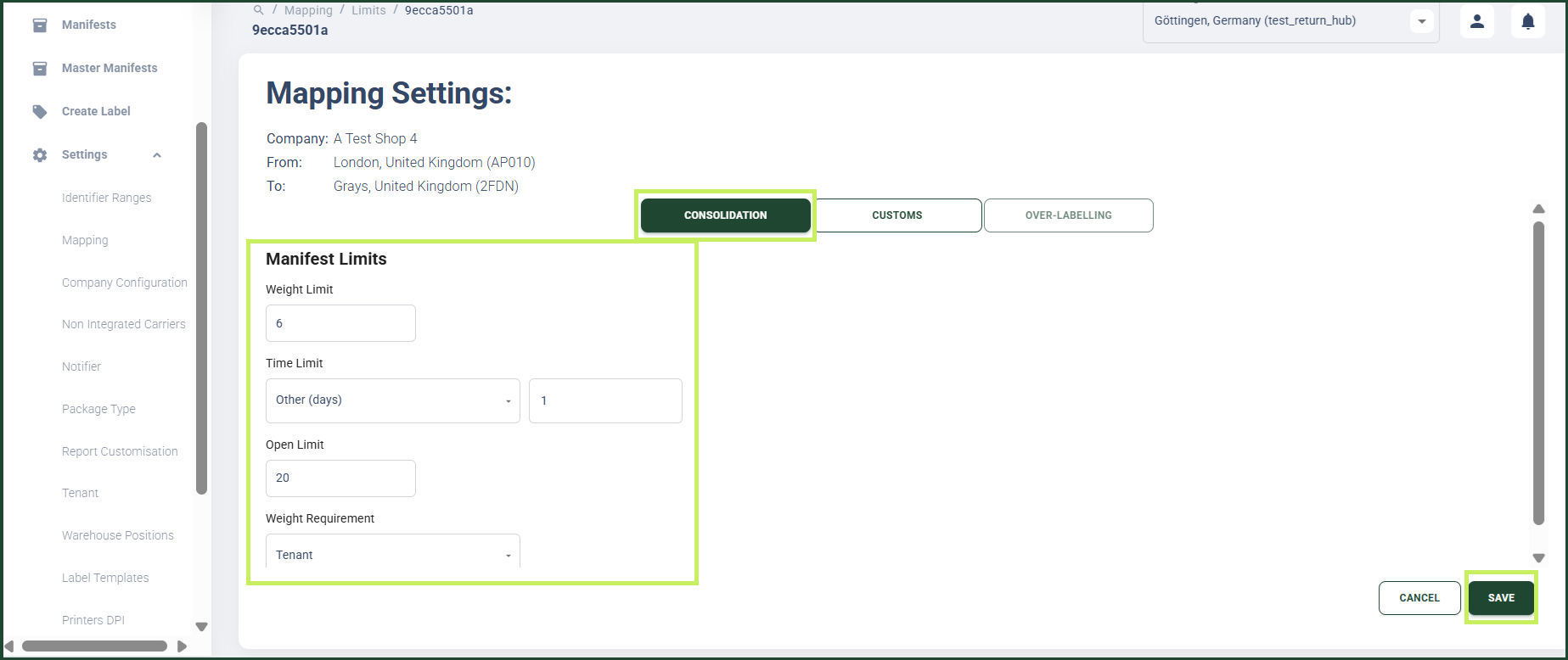
- In the Consolidation tab page you can edit the following parameters:
- Weight limit - edit the actual weight limit per manifest
- Time limit - edit the expiration date of a manifest after which a manifest is no longer open for assignments
- Open limit - edit the maximum number of manifests opened at the same time
- Weight requirement - select whether or not a manifest has to be of a required weight.
- Click Save.
The Time limit options are the following:
- Daily - a manifest should be closed by the end of the working day;
- Weekly - a manifest should be closed on the last working day of the week; (default value);
- Monthly - a manifest should be closed on the last working day of the month;
- Other (days) - a manifest should be closed after the number of days chosen in this field
By editing the parameters in the Consolidation tab, you override the previously defined limits configured in the tenant settings for the particular mapping.