How to view warehouse positions
Overview
RMS makes it easy for you to view all existing warehouse positions in one central place, ensuring full visibility of how parcels are routed within your network. You can access a clear list of all configured positions for the selected warehouse, helping you quickly verify destination rules and maintain consistent routing standards. This transparency supports smoother operations, reduces routing errors, and ensures parcels move efficiently through the returns process.
How to view warehouse positions
- Log in to Returns Management System (RMS).
- On the sidebar menu, click Settings. A dropdown list of setting properties appears below Settings.
- Click Warehouse Positions. The Settings: Warehouse Positions appears on the right.
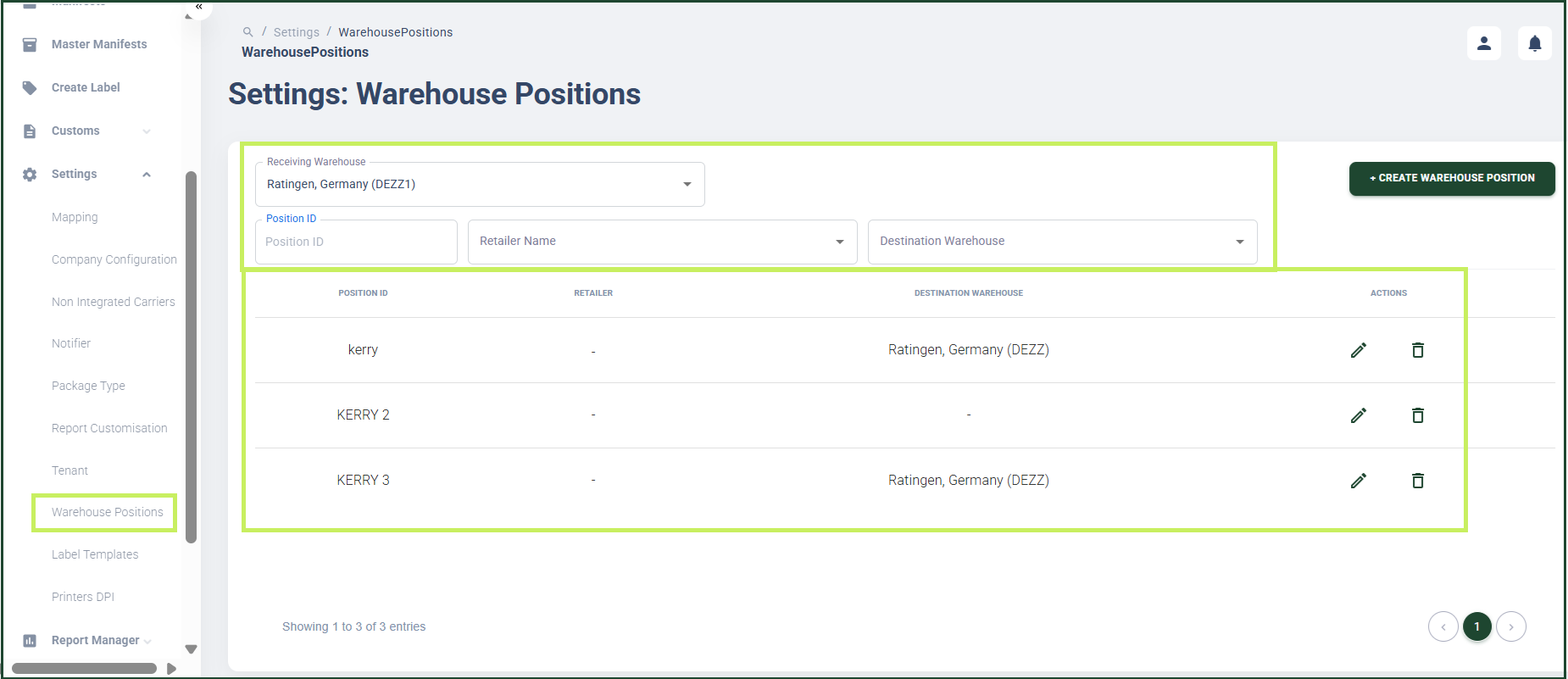
Here you can view a list of the warehouse positions created for the warehouse.
4. You can filter the list by the following properties:
- Receiving Warehouse
- Position ID
- Retailer Name
- Destination Warehouse