How to edit a warehouse position
Overview
Editing a warehouse position in RMS allows your team to quickly adjust parcel routing rules as your operations evolve. The function ensures parcels continue to move through the most accurate and efficient paths. This flexibility helps maintain smooth logistics workflows and supports consistent, error‑free returns processing as business needs change.
How to edit a warehouse position
- Log in to Returns Management System (RMS).
- On the sidebar menu, click Settings. A dropdown list of setting properties appears below Settings.
- Click Warehouse Positions. The Settings: Warehouse Positions page appears on the right.
- Click the Edit (Pen) icon for the position you want to edit.
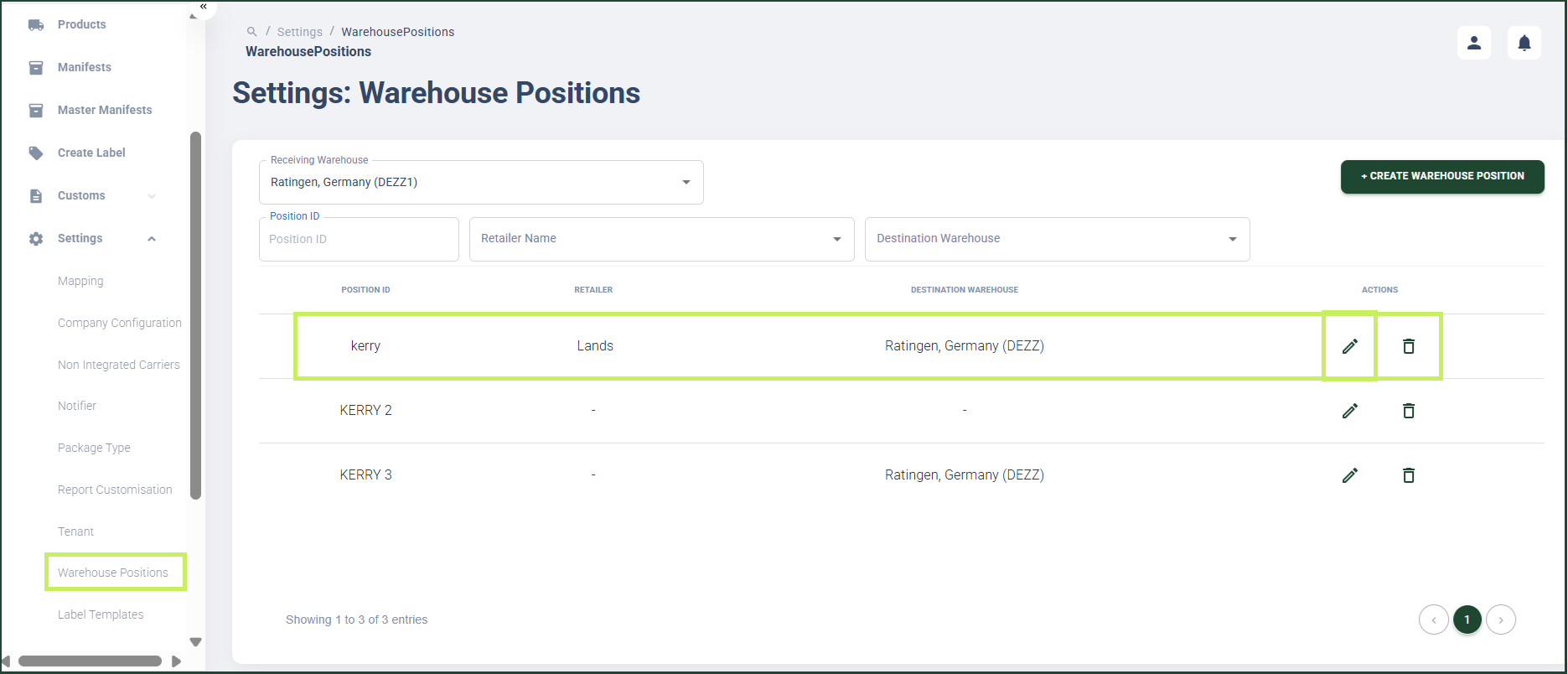
An Edit Warehouse Position dialog window appears.
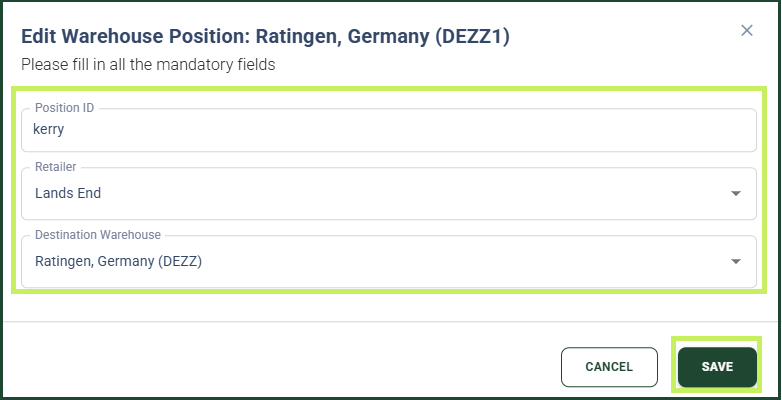
- In the Edit Warehouse Position dialog window, edit the following fields:
- Position ID - edit the warehouse position ID
- Retailer Name - from the drop-down menu, select the retailer name for whose items the warehouse position is
- Destination Warehouse - from the drop-down menu, select the destination warehouse to which the parcel must be shipped.
- Click Save.