How to edit a package type
Overview
RMS allows you to quickly update existing package types to ensure parcel definitions stay accurate and aligned with operational needs. You can adjust package type name and dimensions to maintain consistent standards as products, packaging, or warehouse processes evolve. This flexibility ensures smoother returns handling, reduces errors, and keeps your logistics operation running efficiently.
How to edit a package type
- Log in to Returns Management System (RMS).
- On the sidebar menu, click Settings. A dropdown list of setting properties appears below Settings.
- Click Package Type. The Settings: Package Type page appears on the right.
- On the Settings" Package Type page, click the Edit (Pen) icon for the package type you want to edit.
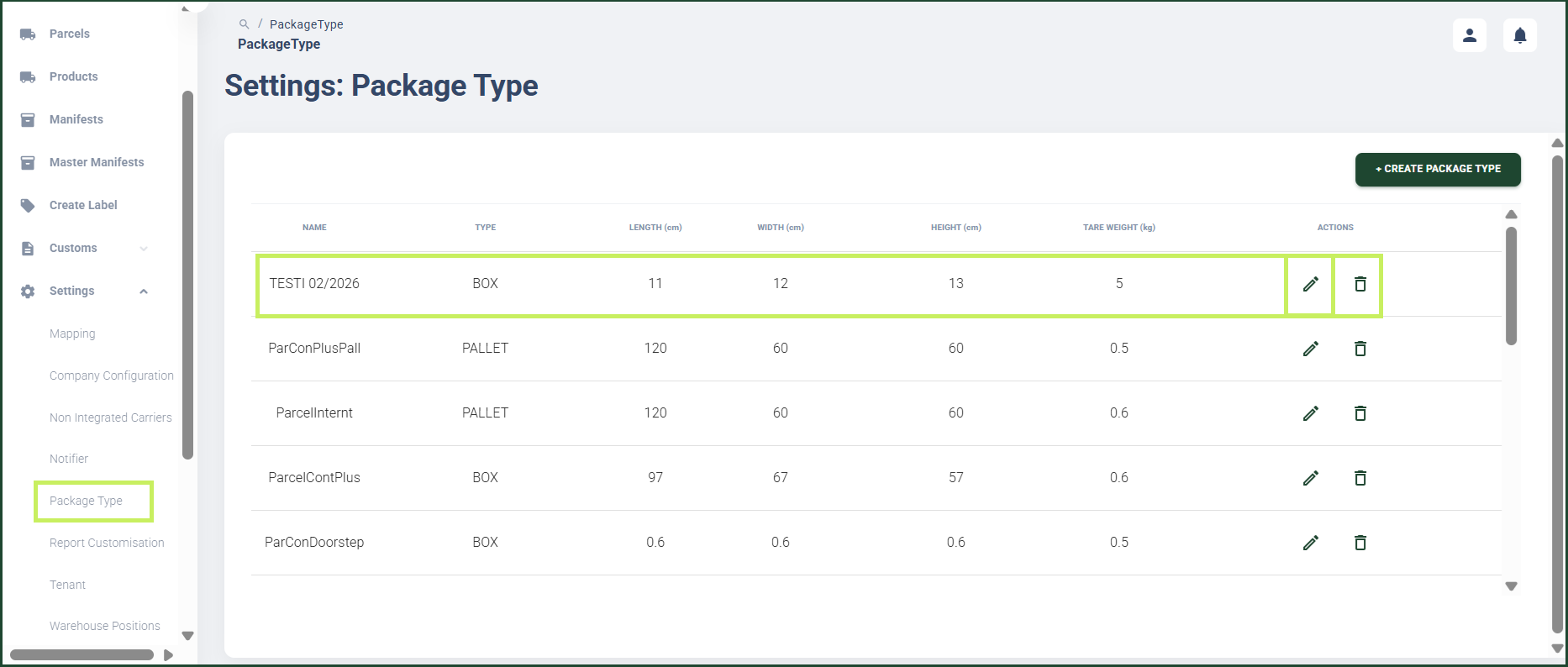
A Edit Package Type dialog window appears.
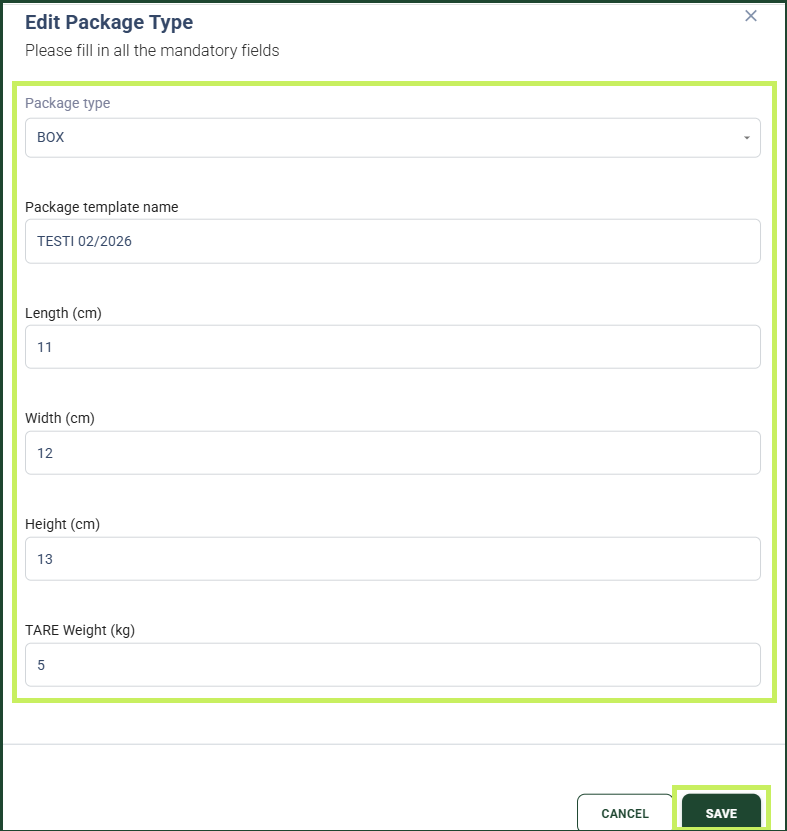
- In the Edit Package Type dialog window, edit the following fields:
- Package type - from the drop-down menu, select the package type you want to edit
- Package template name - edit the package template name of the package type
- Length (cm) - edit the maximum length for the package type
- Width (cm) - edit the maximum width for the package type
- Height (cm) - edit the maximum height for the package type
- TARE Weight (kg) - edit the maximum weight of your empty package type
- Click Save.