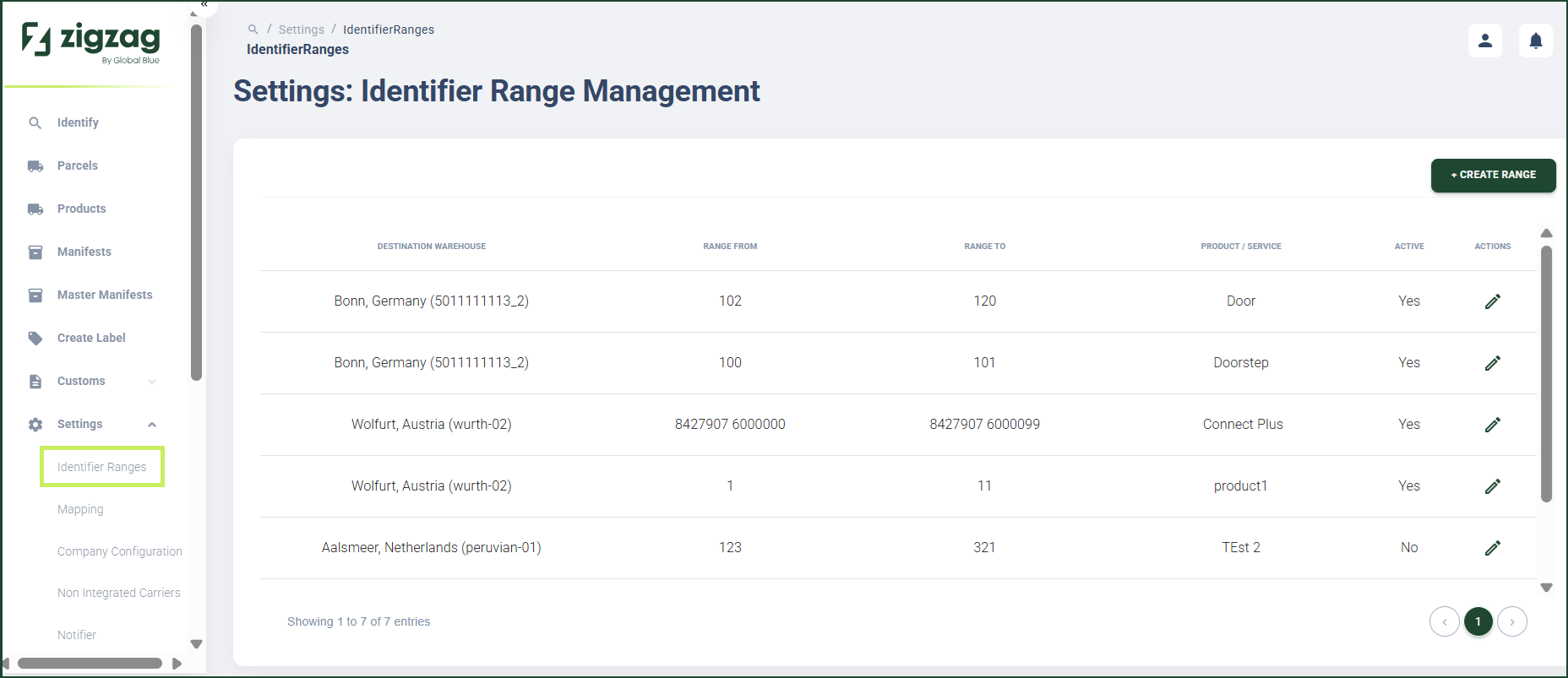
How to view existing ranges
Overview
RMS makes it easy to understand how returns are routed by providing a clear, user‑friendly view of all configured Identifier Ranges. Through the Identifier Range Management page, you can see which barcode ranges are associated with specific destination warehouses, along with key details such as range start and end values, product or service type, and activation status. This transparency helps ensure accurate routing, reduces manual handling, and gives you confidence that parcels will be directed correctly even when shipment data is not available.
How to view existing ranges
- Log in to Returns Management System (RMS).
- On the sidebar menu, click Settings. A dropdown list of setting properties appears below Settings.
- Click Identifier Ranges. The Settings: Identifier Range Management page appears on the right.
- Here you can view the existing identifier ranges organized in a table with the following columns:
- Destination Warehouse - the destination warehouse configured for the route
- Range From - the start of the configured numeric barcode range
- Range To - the end of the configured numeric barcode range
- Product/service - the configured product/service the route uses
- Active / Inactive status - the activation status of the range
- Actions - an Edit (Pen) icon allows you to update the status of a range