How to edit a number range
Overview
Editing number ranges in RMS allows you to keep identifier-based routing aligned with your operational setup as carrier references, destinations, or services change. Using Identifier Range Management in Settings, authorised users can maintain existing ranges so RMS continues to correctly recognise scanned identifiers, determine the right destination and workflows, and process parcels even when full shipment data isn’t available. This helps ensure consistent routing, uninterrupted warehouse operations, and accurate reporting across your returns network.
How to edit a number range
- Log in to Returns Management System (RMS).
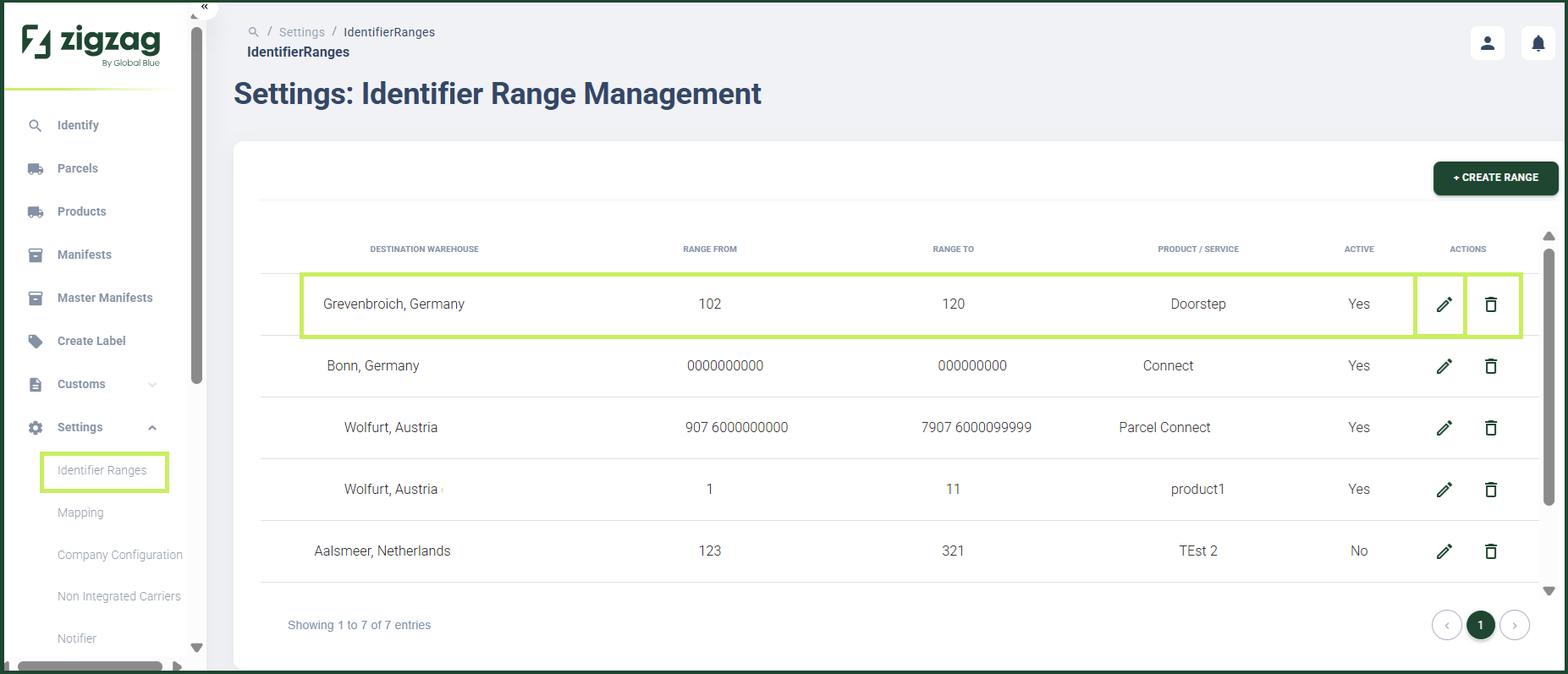
- On the sidebar menu, click Settings. A dropdown list of setting properties appears below Settings.
- Click Identifier Ranges. The Settings: Identifier Range Management page appears on the right.
- On the Settings: Identifier Range Management page, click the Edit (Pen) icon for the number range you want to edit.
The Edit number range dialog window appears.
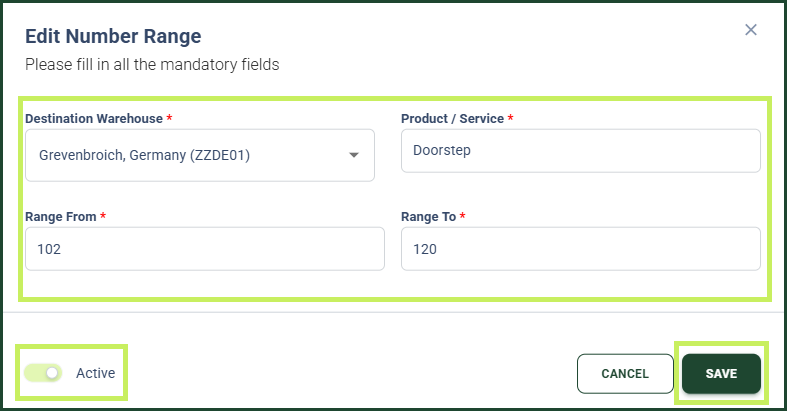
- In the Edit number range dialog window, you can edit the following fields:
- Destination warehouse - from the dropdown menu, select the destination warehouse for the route
- Product/service - edit the service the route uses
- Range From - edit the start of the numeric barcode range
- Range To - edit the end of the numeric barcode range
- Active / Inactive toggle - switch the toggle to Active to enable the use of the identifier range for operational needs or switch it to Inactive to disable it.
- Click Save.