How to delete a number range
Overview
Deleting an identifier range in RMS allows you to remove routing configurations that are no longer required, helping keep identifier management clean and up to date. With enhanced Identifier Range Management, authorised users can safely delete existing ranges when they are no longer needed, ensuring that only valid and relevant identifiers are used during parcel scanning. This reduces the risk of incorrect routing, supports accurate parcel identification, and helps maintain reliable warehouse operations and reporting.
How to delete a number range
- Log in to Returns Management System (RMS).
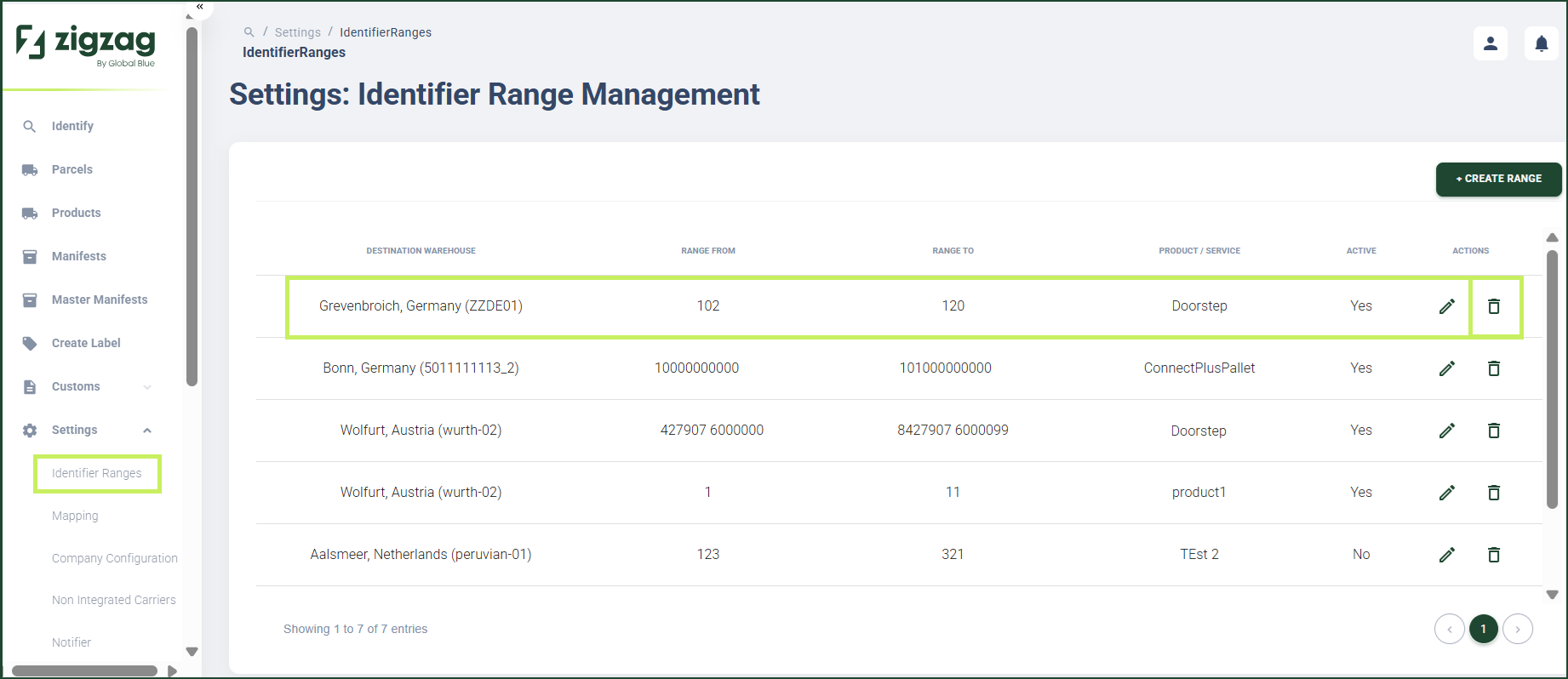
- On the sidebar menu, click Settings. A dropdown list of setting properties appears below Settings.
- Click Identifier Ranges. The Settings: Identifier Range Management page appears on the right.
- On the Settings: Identifier Range Management page, click the Delete (Bin) icon for the number range you want to delete.
The Delete Identifier Range confirmation window appears.
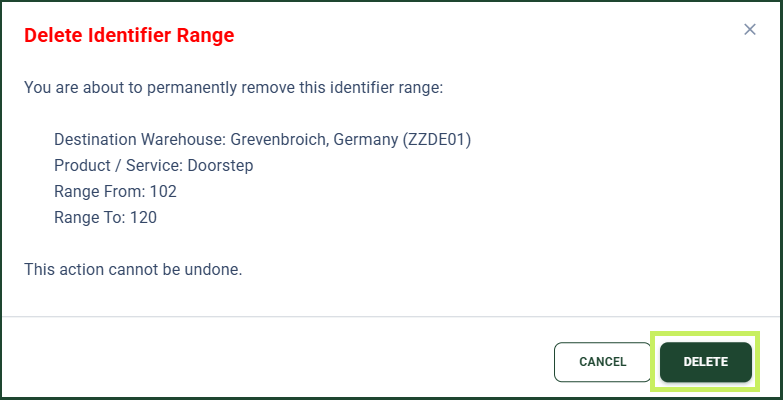
- Click Delete to confirm the deletion of the range.