How to update a manifest status
Overview
Updating the manifest status in the Returns Management System ensures that each returned parcel is accurately tracked and processed throughout its lifecycle. By keeping the manifest status current, your team gains clear visibility into where a return stands—from initial receipt and inspection to final resolution. This helps prevent delays, reduces errors, and supports a smoother, more transparent returns experience for both your operations and your customers.
How to update a manifest status
- Log in to Returns Management System (RMS).
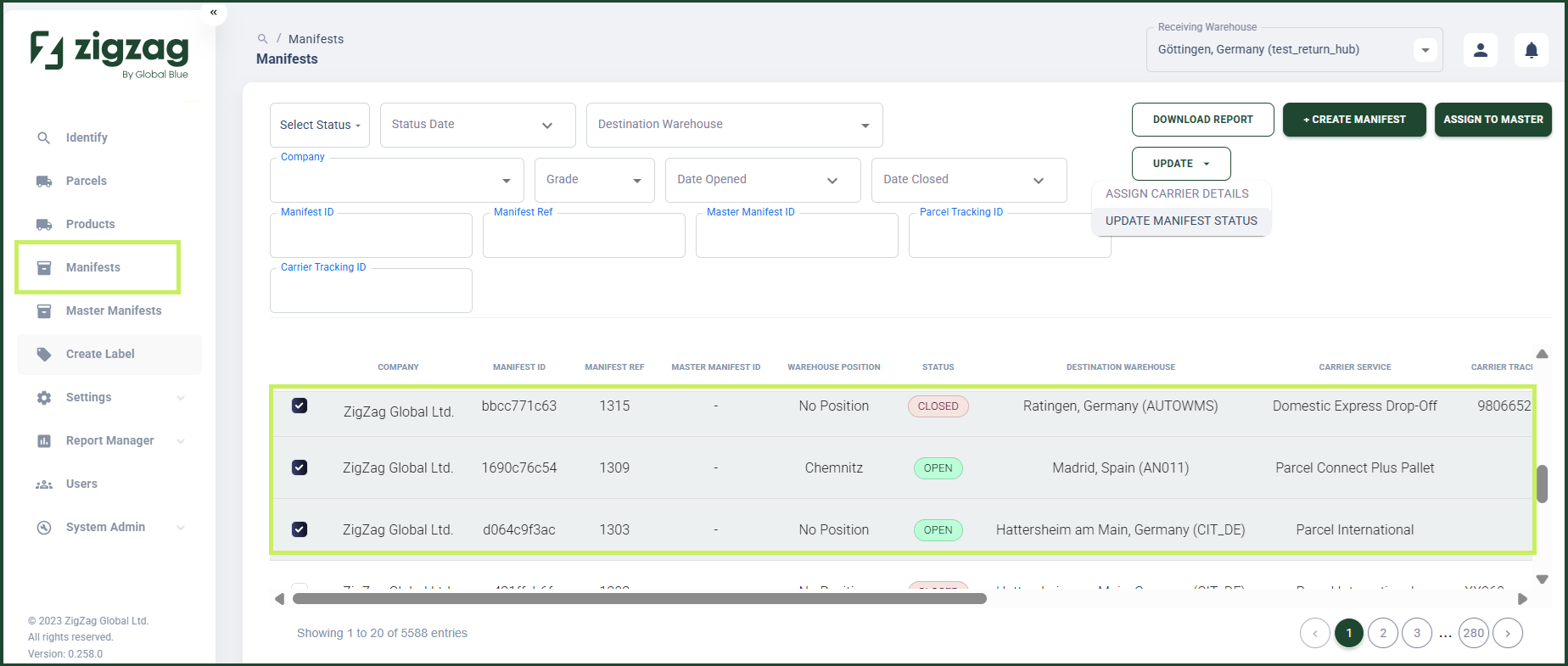
- On the sidebar menu, click Manifests. The Manifest List page appears on the right.
- On the Manifest List page, navigate to the Manifest List table and select the manifests whose status you want to update by clicking on their respective rows.
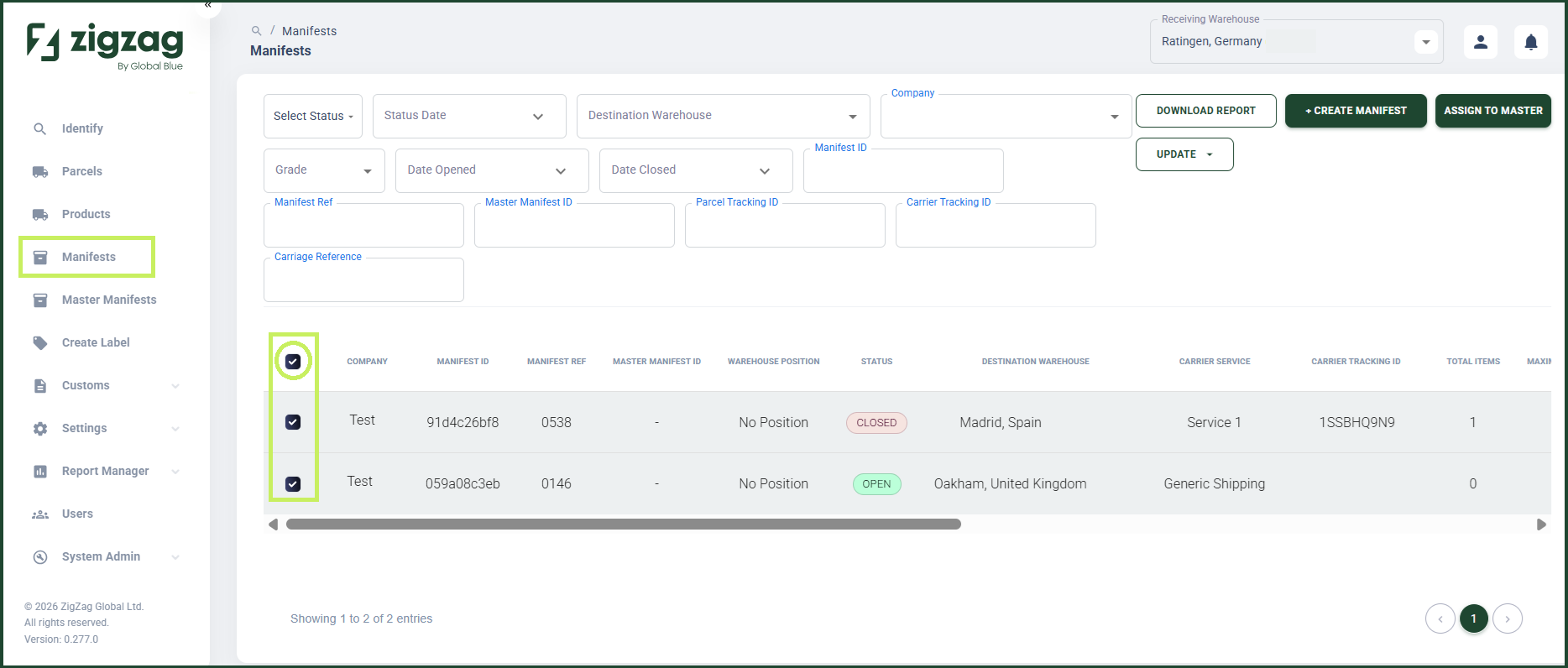
- You can also select all manifests displayed on the current page by clicking the Select All checkbox on the Manifest List page.
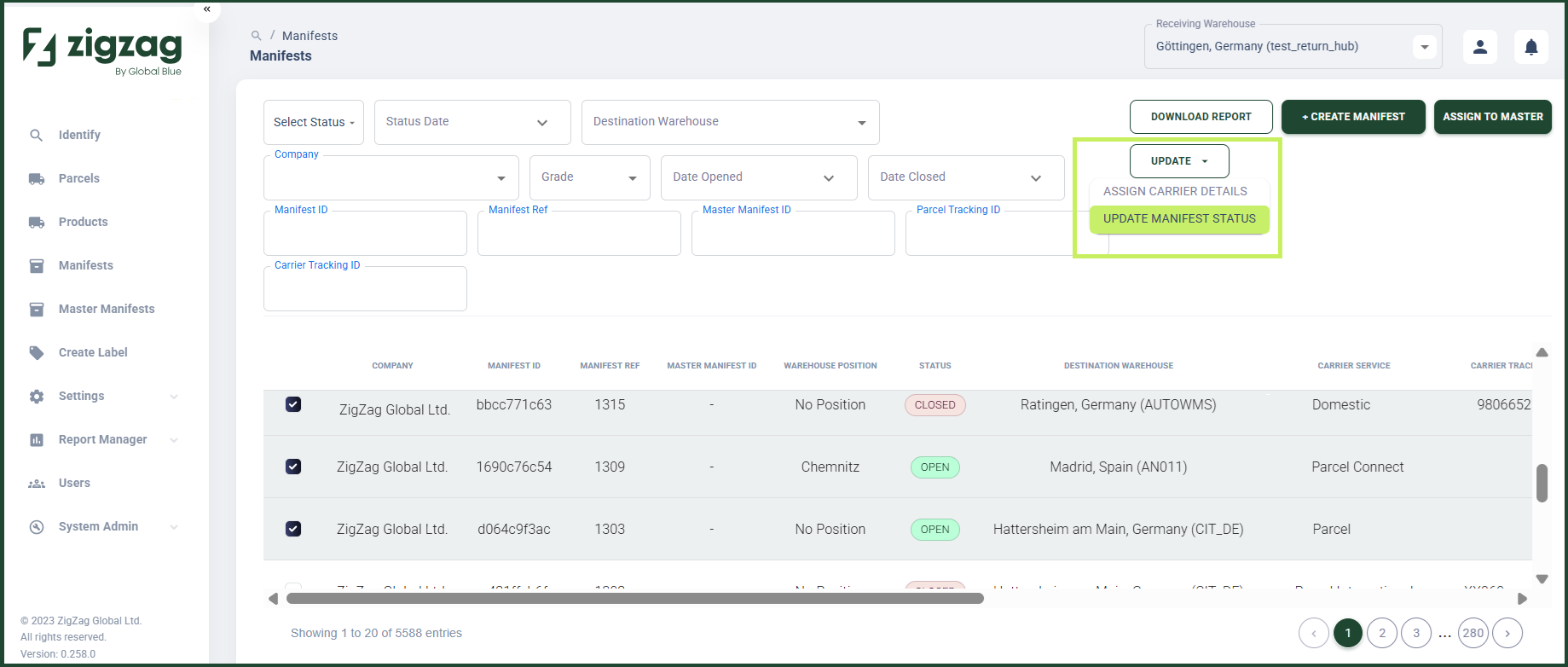
- From the dropdown Update button, select Update Manifest Status.
An Update Manifest(s) Status dialog window appears.
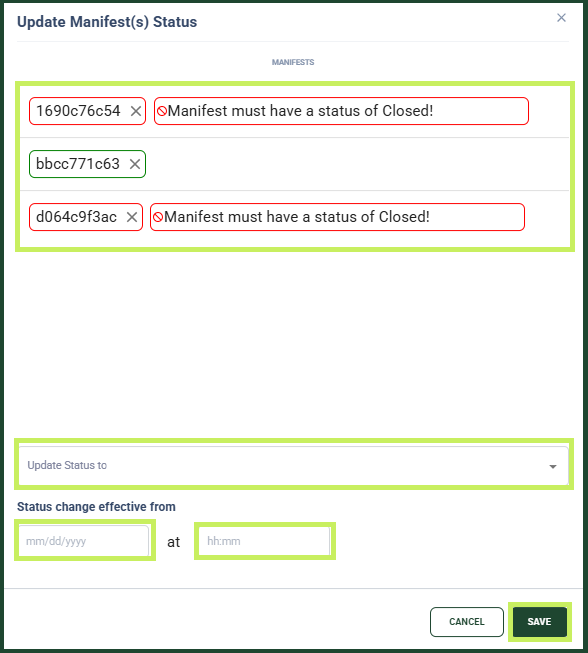
- In the Update Manifest(s) Status dialog window, you can view a list of the manifests you have selected for update.
note
A traffic light colour scheme shows which manifests can be updated (green border), which can't be updated (red border), and which require a warning (amber border).
- Fill in the following fields:
- Update Status To - from the dropdown menu, select the new status of the manifests
- Date field - from the date selector, select the date from which you want the new status to be effective
- Hour field - from the hour selector, select the hour from which you want the new status to be effective
- Click Save.