How to create a manifest
Overview
Creating a manifest in the Returns Management System is a streamlined process that enables your team to efficiently group, manage, and prepare shipments for dispatch. From the Manifest List page, you can view key shipment details, assign parcels, track available weight, and easily update manifest properties. The system provides clear visibility into manifest IDs, destination warehouses, carrier services, and shipment weights, helping ensure accuracy and compliance throughout the returns workflow.
How to create a manifest (Manifest List page)
- Log in to Returns Management System (RMS).
- On the sidebar menu, click Manifests. The Manifest List page appears on the right.
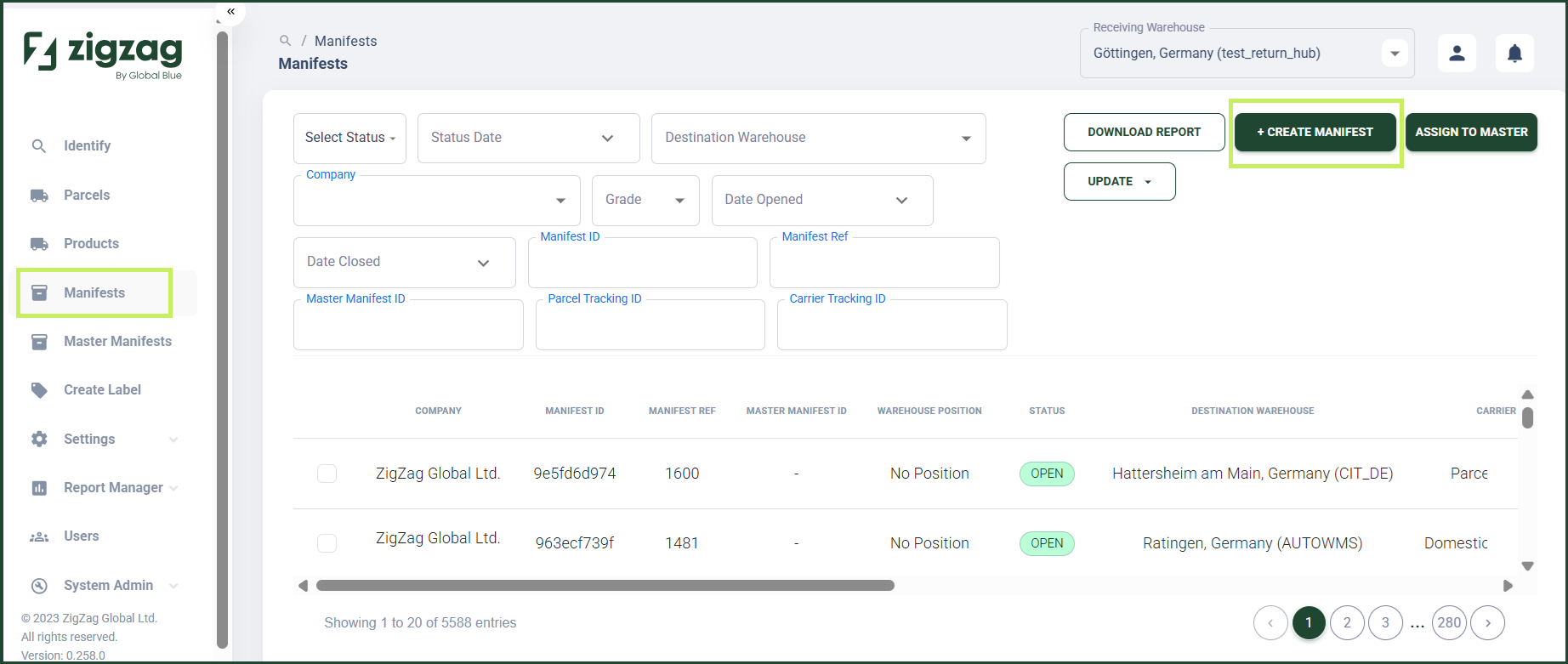
- On the Manifest List page, click Create Manifest button. A Create Manifest dialog appears.
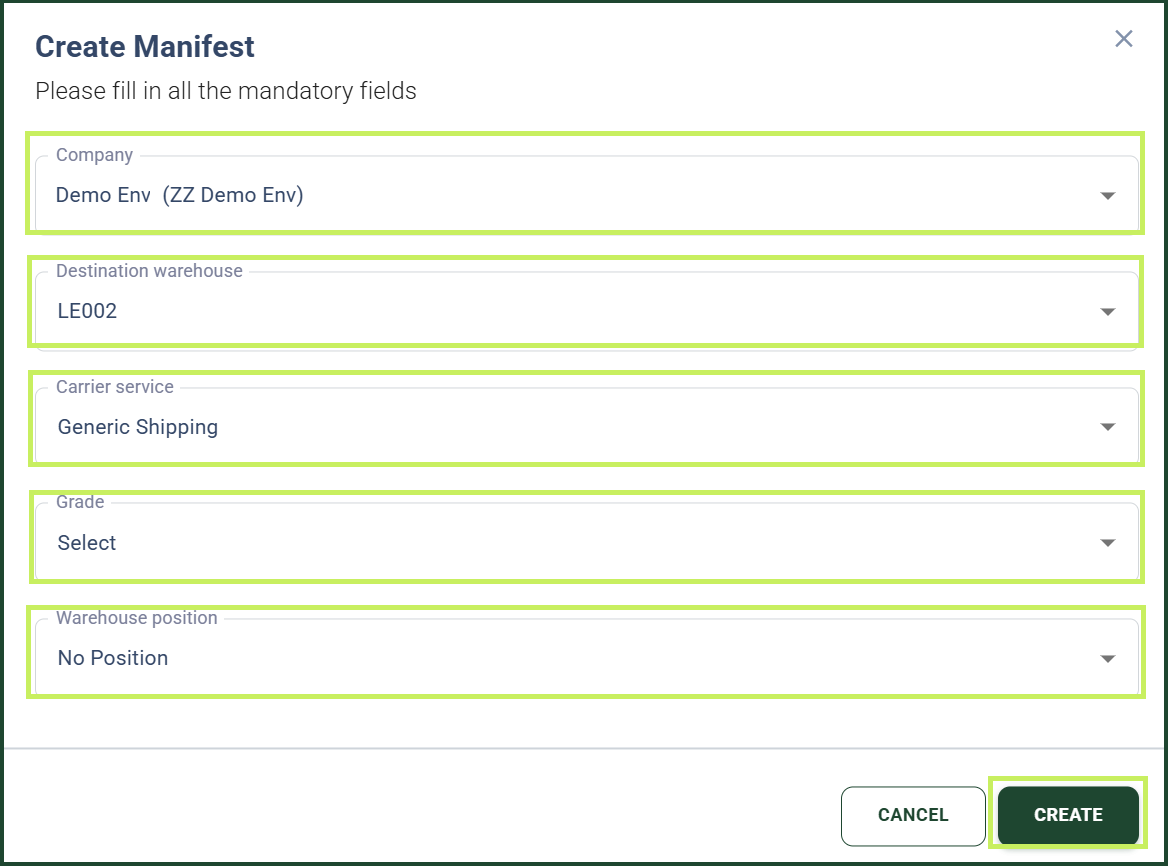
- In the Create Manifest dialog, fill in the following fields:
- Company - from the dropdown menu, select the company for whose parcels you want to create a new manifest
- Destination Warehouse - from the dropdown menu, select the destination warehouse to which the new manifest will be delivered
- Carrier Service - from the dropdown menu, select the carrier service for the new manifest
- Grade - from the dropdown menu, select the grade of the products that will be consolidated in the new manifest
- Warehouse Position - from the dropdown menu, select the warehouse position for the new manifest
- Click Create.