How to update manifest properties
Overview
In RMS, updating manifest properties allows you to maintain accurate, up‑to‑date information throughout the returns handling process. From the Manifest Details page, you can quickly adjust key attributes such as total gross weight, package dimensions, and warehouse position, ensuring the manifest reflects the most current physical and logistical details. This capability not only improves operational accuracy but also enhances downstream activities such as carrier processing, warehouse routing, reporting, and compliance checks. By keeping manifest data precise and timely, RMS helps streamline warehouse workflows and supports consistent, reliable parcel management.
How to update manifest properties
- Log in to Returns Management System (RMS).
- On the sidebar menu, click Manifests. The Manifest List page appears on the right.
- On the Manifest List page, navigate to the Manifest List table and select the manifest which properties you want to update by hovering on its respective row. An Edit (Pen) and a Delete (Bin) icon appear.
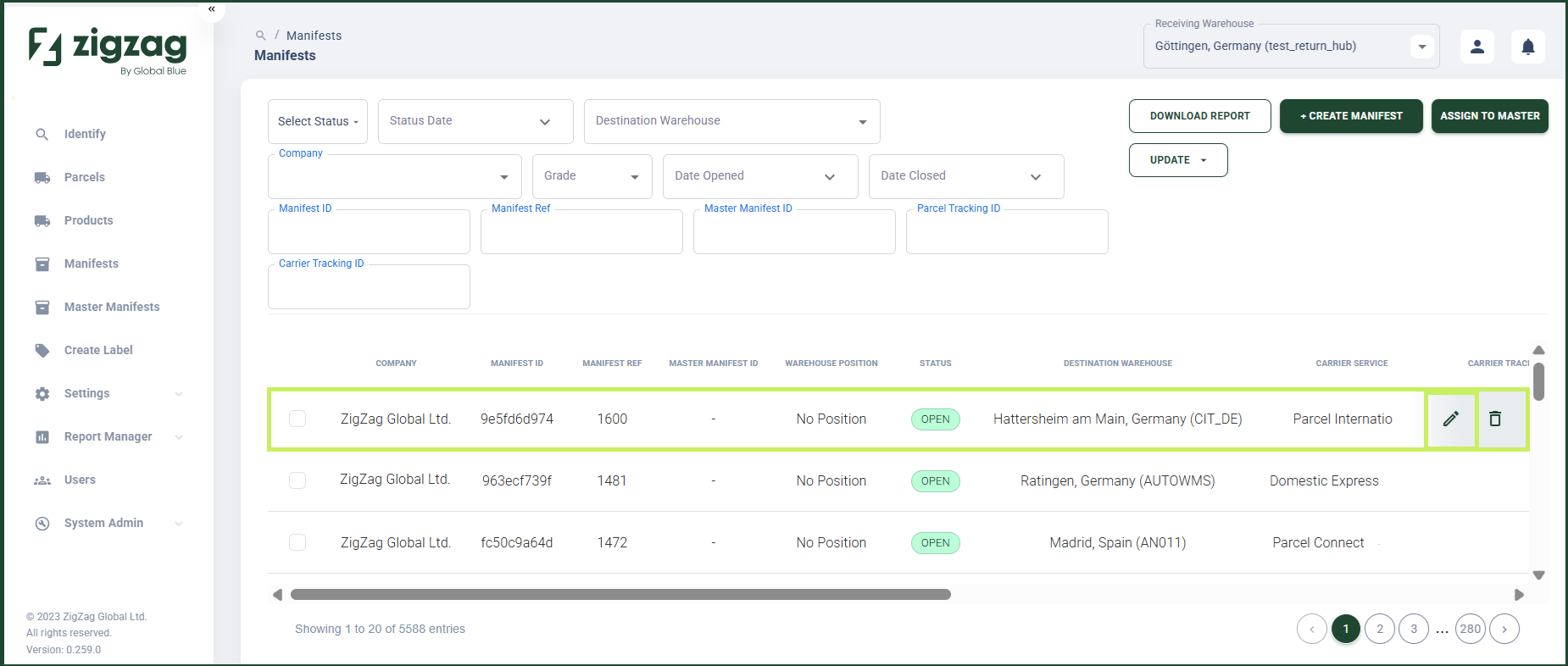
- Click the Edit (Pen) icon. The Manifest Details page appears.
- On the right side of the Manifest Details page you can see a Manifest Details section where you can update the manifest properties.
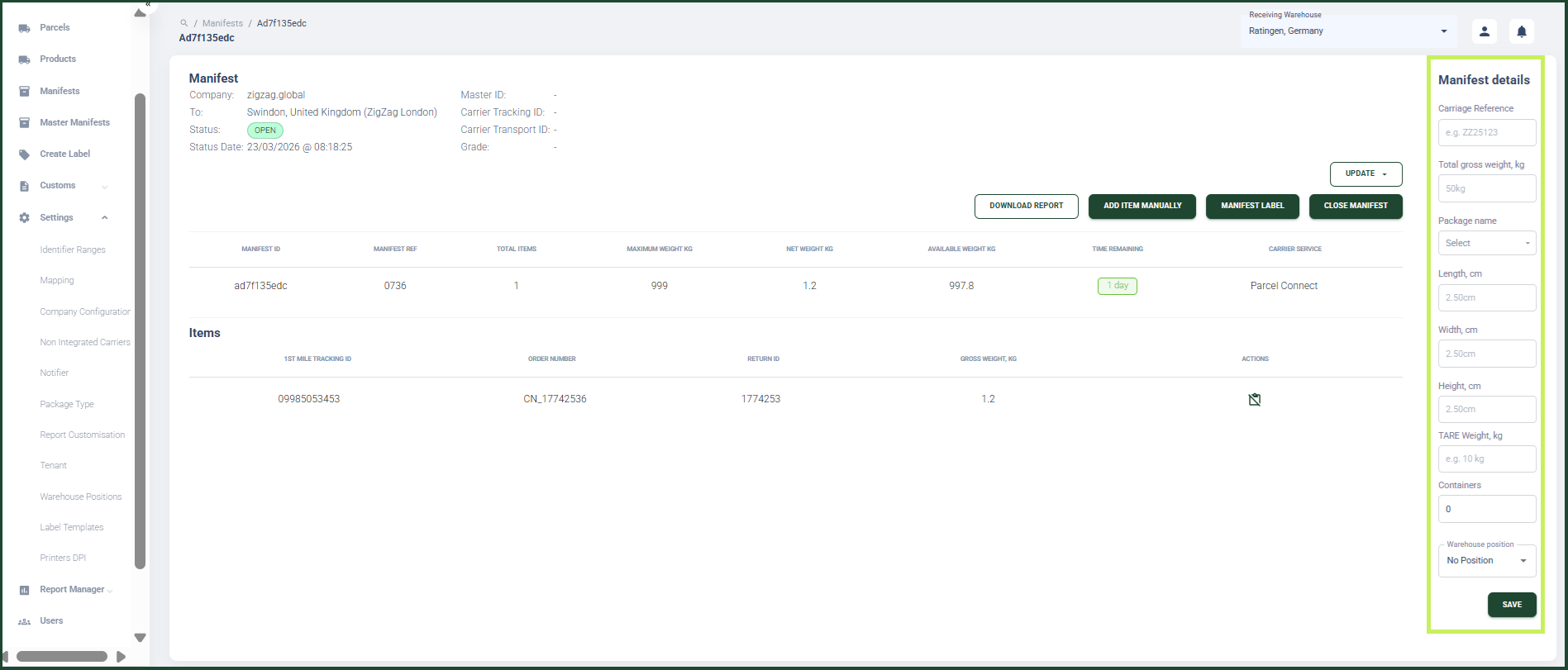
You can edit the following fields:
- Carriage Reference
- Total Gross Weight in kilograms
- Package name
- Length in centimeters
- Width in centimeters
- Height in centimeters
- TARE weight in kilograms
- Containers (the number of containers that make up a manifest)
- Warehouse Position
- Click Save.