How to delete a manifest
Overview
In RMS, deleting a manifest provides a simple way to remove manifest records that are no longer needed, helping maintain clean and accurate operational data. From the Manifest List page, you can identify the manifest(s) you wish to remove and access the Delete option directly from the action icons displayed on the manifest row. Once deleted, the manifest is permanently removed from the system, preventing further edits or parcel assignments. This functionality ensures that only valid, active manifests remain in circulation, supporting better warehouse organization, clearer reporting, and more efficient day‑to‑day processing.
How to delete a manifest
- Log in to Returns Management System (RMS).
- On the sidebar menu, click Manifests. The Manifest List page appears on the right.
- On the Manifest List page, navigate to the Manifest List table and select the manifest you want to delete by hovering on its respective row. An Edit (Pen) and a Delete (Bin) icon appear.
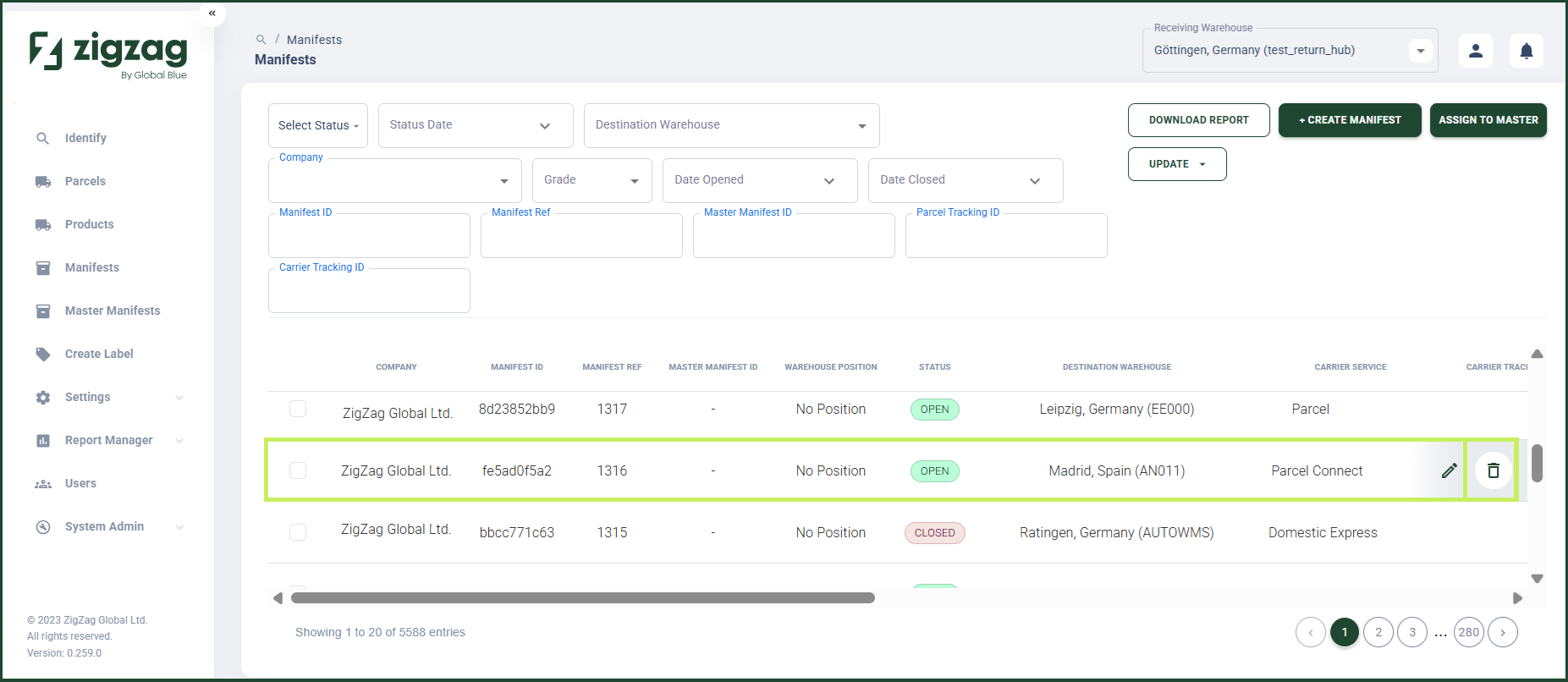
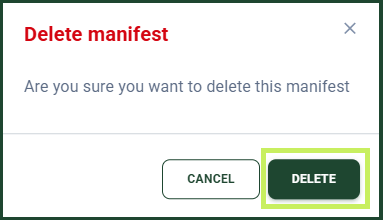
- Click the Delete (Bin) icon to delete the manifest. If the manifest is valid for deletion, a Delete Manifest confirmation dialog appears with a text "Are you sure you want to delete this manifest?"
- Click Delete.
If the manifest is not valid for deletion, RMS displays a message: "Unable to delete, the manifest is not empty or the manifest is closed."