How to identify a parcel
Overview
The first step you need to perform when you manage parcels is parcel identification. It contributes to the overall efficiency of warehouse operations and facilitates faster and more accurate processes such as receiving, packing, and shipping.
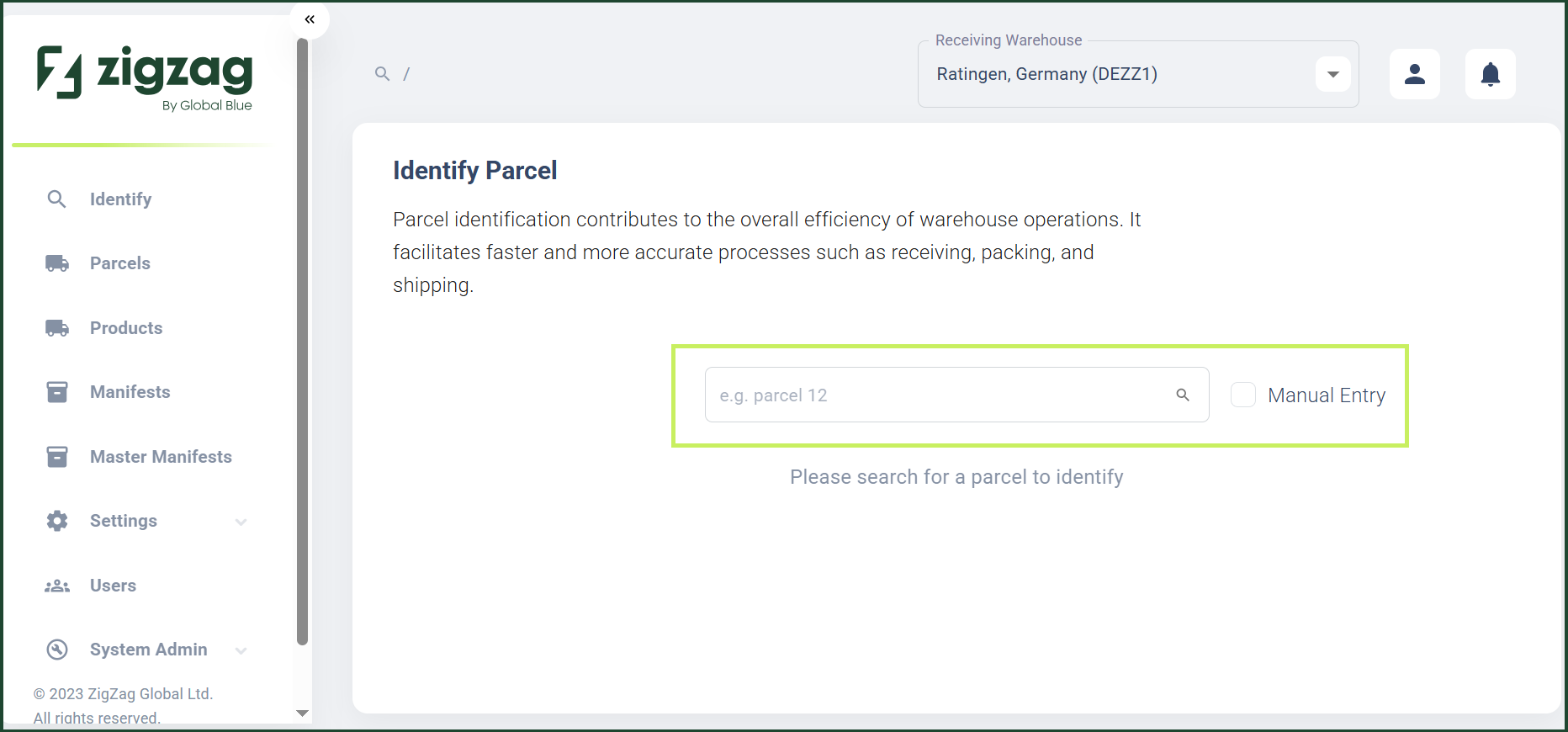
You are able to search by parcel ID either by scanning the parcel label or entering the parcel ID manually. On the Identify Parcel page, the search is performed, and then you are navigated to the appropriate workflow based on the tenant mapping.
RMS allows you to identify a domestic return even when no shipment data has been provided. In that case, the system uses Identifier Ranges to determine where a parcel should go based on carrier‑assigned identifiers embedded in parcel barcodes.
How to identify a parcel
- Log in to Returns Management System (RMS).
- On the sidebar menu, click Identify. The Identify Parcel page appears on the right.
- In the Identify Parcel page, fill in the parcel number either by scanning the number from the parcel label or entering it manually. When only one Return ID is identified, RMS automatically navigates you to the appropriate warehouse operation workflow based on the mapping.
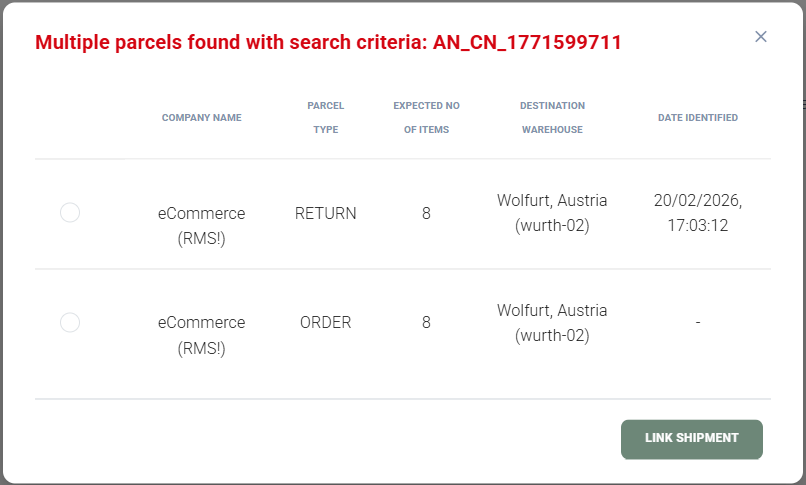
If an order number scan results in more than one identified Return ID, RMS displays a 'Multiple Parcels Identified' pop up dialog that allows you to choose the parcel you want to process.