Troubleshooting
Overview
This section will give you the keys to performing the checks that solve the most common issues. Our support team will be happy to go into more detail if you need - support@zigzag.global
Troubleshooting
It is important to note that the accuracy and effectiveness of the troubleshooting relies on the information you provide.
To pinpoint the source of a problem, it is a good idea to look at certain pieces of information pertaining to an order or package. They may be:
- missing
- sent to the wrong place
- sent at the wrong time
You can see all the information you have sent us, and even understand it, without having to be fluent in technical language! Sometimes it might sound technical, but we'll help you demystify it!
Where to find this information? - This information is available in two places:
- At the order level by clicking on the order number
- At package level by clicking on the package number
Payload (package data/order data)
Whether you are integrated via an e-commerce platform (Shopify, Magento, etc.), API, or FTP, you send us information for every order and package in ZigZag.
Click on "See __ data" to access the payload - The "Merchant's payload" is the data you have sent us.
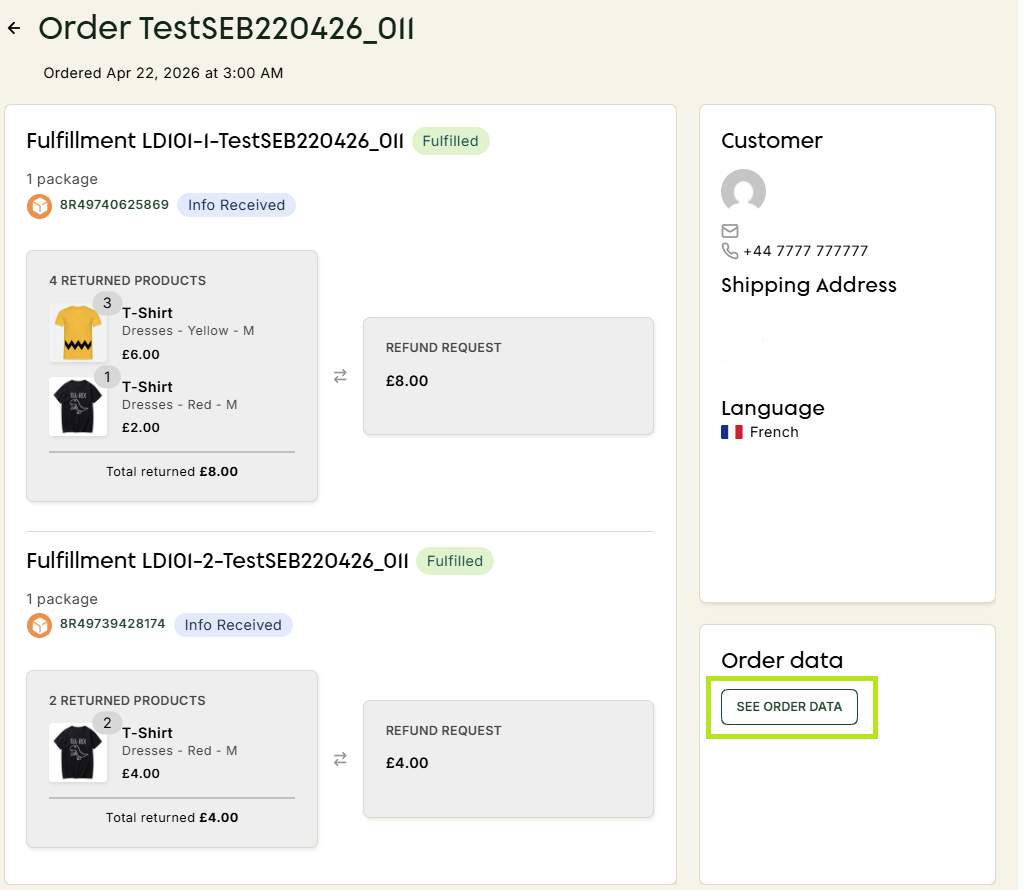
From this payload, ZigZag selects the data relevant to the order, on the one hand, and the data relevant to the parcel, on the other. We do this to create the ZigZag order payload and the ZigZag tracker payload.