Untracked events
Overview
Untracked events is a term in opposition to the packages tracked by a carrier.
The Post Purchase solution uses events received from the carriers to trigger the notifications. When a package is sent without a listed carrier (store to store, unavailable carrier, private truck, etc.), no carrier event is created/received. In such cases, Untracked events are used to create made-up events that will trigger the notifications.
How to use untracked events
The nomenclature of the tracking number entered in your application is flexible. You can:
- use any number you like (letters, numbers, or both)
- reuse the tracking number and/or add a prefix (for example, "NO_TRACKING" or "NO_TRACKING_12345")
With an API/FTP integration
Trackers must be created with the store_process carrier code.
With an e-commerce app (PrestaShop, Magento, Shopify, etc.)
You will need to use the carrier matching feature (Portal Settings -> Notification Settings -> Integrations -> 3 dots on your app -> Match carrier services) to correctly identify untracked packages.
To do this:
- Locate the carrier name imported from your e-commerce platform.
- Drag and drop it next to the "Store Process" carrier.
How to configure untracked events
Navigate to Portal Settings -> Notification Settings -> Editor -> Untracked events. Note that this is not active by default. If this category does not appear, please contact our support team at support@zigzag.global.
- Event #1 - Tracking number created in ZigZag
- Event #2 - x days after the creation of the tracking number
- Event #3 - x days after the creation of the tracking number/country
- Event #4 - After the merchant expected delivery date configured in the carrier settings
Configuration of untracked events notifications
These events (previously configured) will be visible in the Portal Settings -> Notification Settings -> Editor tab in the "Untracked package" category.
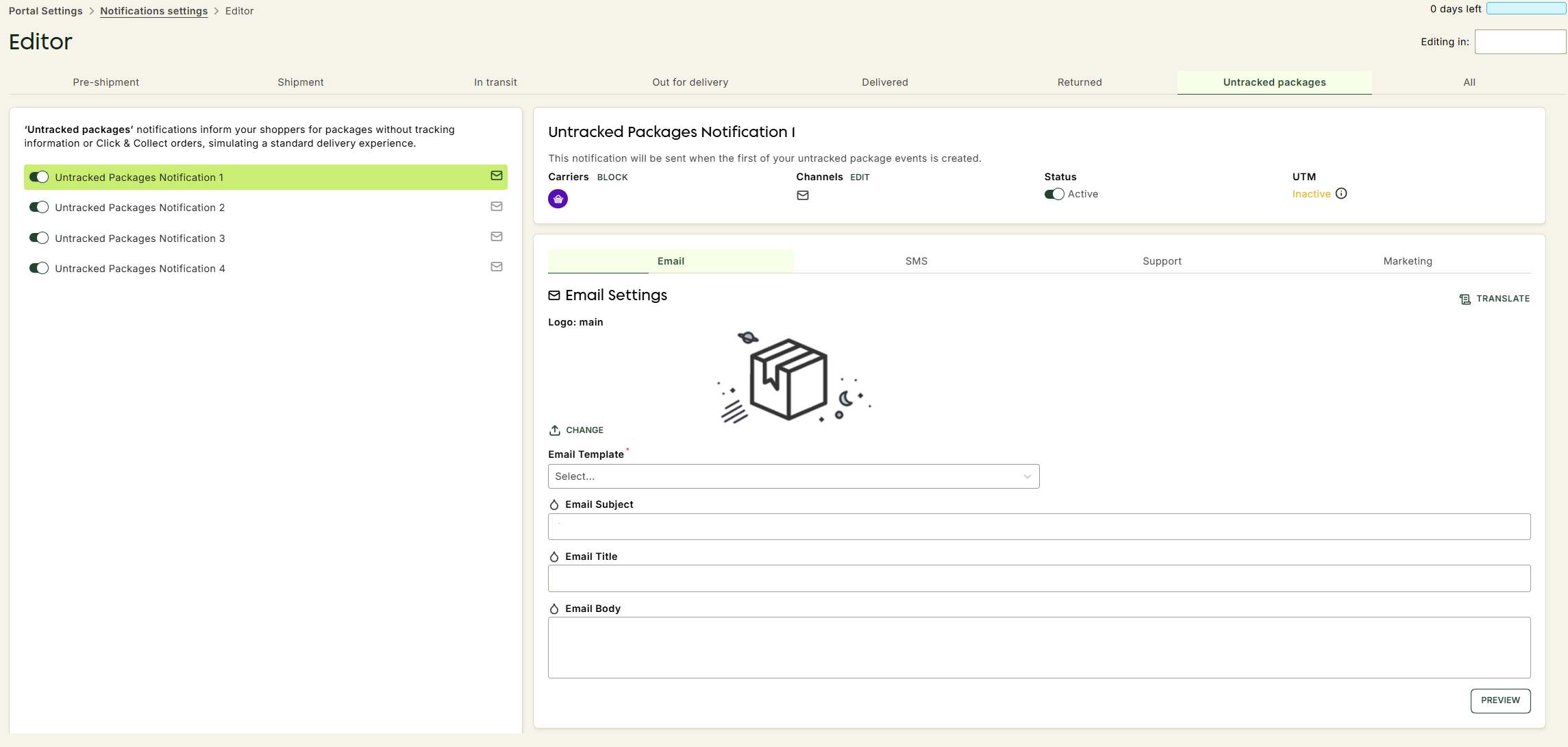
It is not possible to change the names of these events and notifications.
Untracked package notification #1 is sent when untracked package event #1 is triggered.
Untracked package notification #2 is sent when untracked package event #2 is triggered, etc.
Click & Collect features
The "Untracked events" feature can also be used for Click & Collect. In this case, two events can be created:
- First event - when the package is available in store (creating a tracking number will trigger this event)
- Second event - when the package has been picked up by the customer
- Via API/FTP - the tracker.expected_delivery_at field triggers the "package delivered" status
- Via Prestashop, Magento or Shopify please contact us