How to edit user information
Overview
RMS makes it easy for your authorised team members to keep user details up to date. You can quickly edit an existing user’s information to ensure their access, role, and operational settings remain accurate.
How to edit user information
- Log in to Returns Management System (RMS).
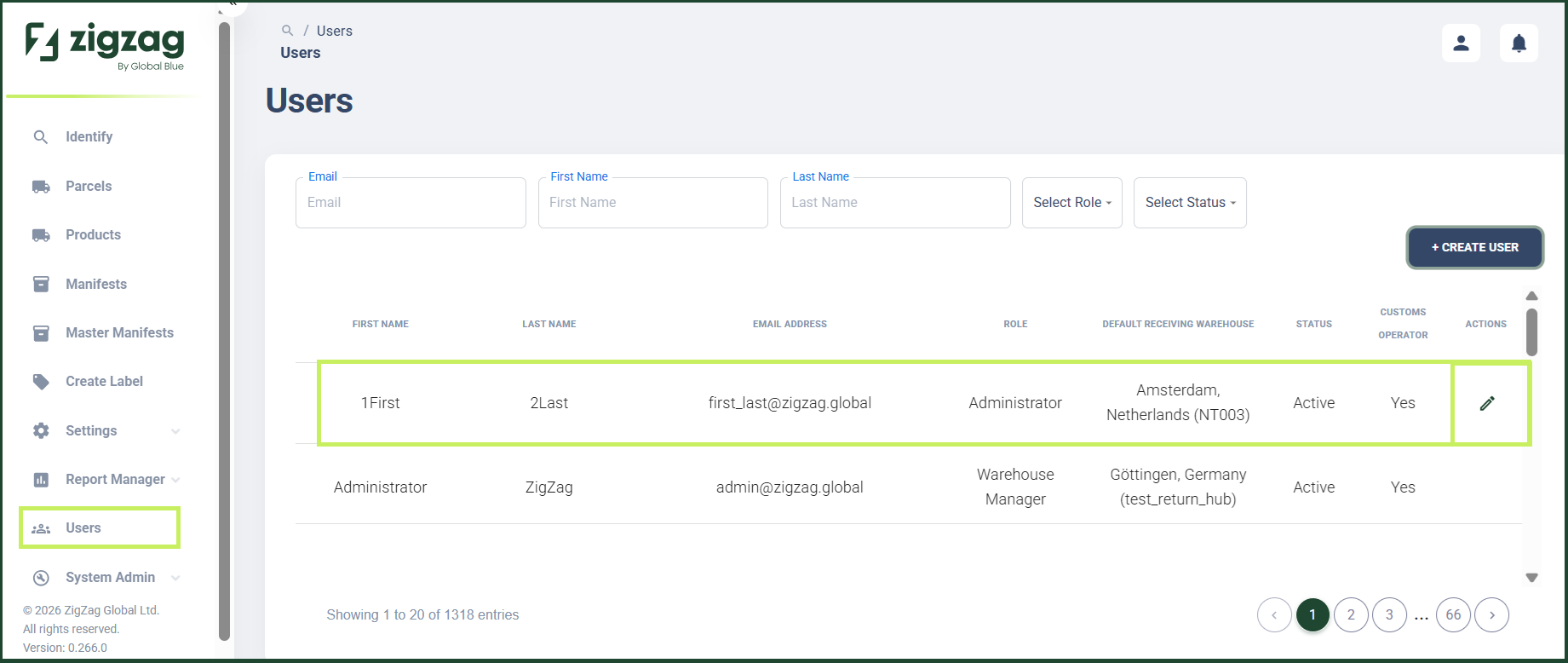
- On the sidebar menu, click Users. The Users page appears on the right. Here you can view a list of all RMS users.
- On the Users page, click the Edit (Pen) icon for the user you want to edit.
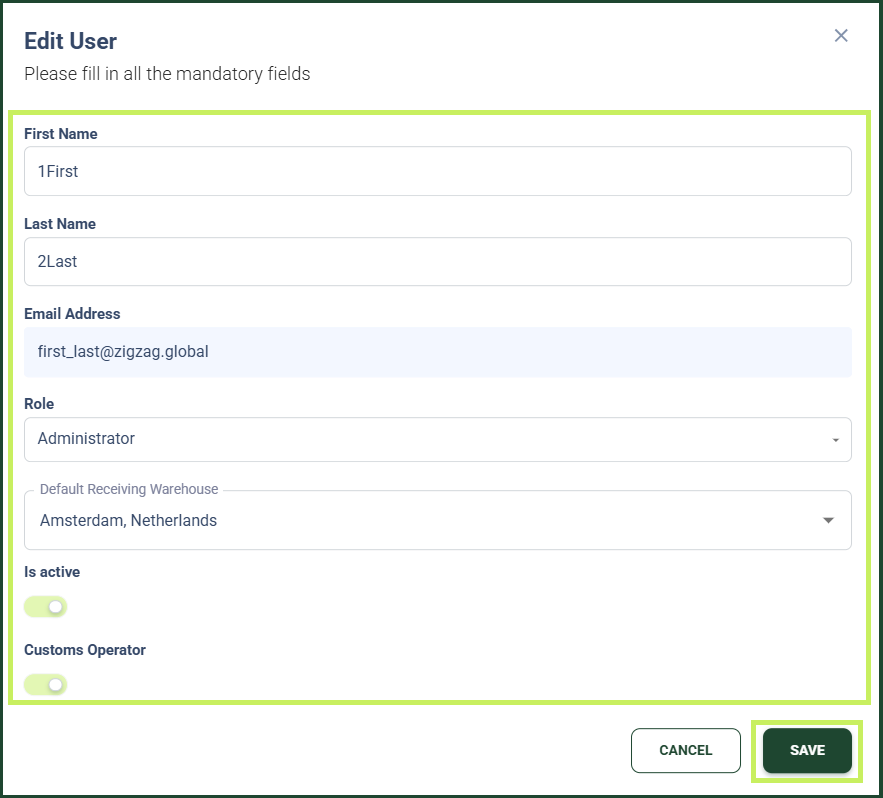
An Edit User dialog appears.
4. In the Edit User dialog, you can edit the following fields:
- First name - edit the first name of the user
- Last name - edit the last name of the user
- User role - from the dropdown menu, edit the user role of the user
- Default Receiving Warehouse - from the dropdown menu, select the default receiving warehouse for the user
- Active toggle - switch the toggle ON to activate or switch it OFF to deactivate the user
- Click Save.