How to configure user settings
Overview
Configuring user settings in the RMS platform provides you with an easy way to override tenant settings related to parcel search and tailor system behavior to your immediate operational needs.
How to configure user settings
- Log in to Returns Management System (RMS).
- Click the User icon on the top right side of the screen. A dropdown menu appears.
- From the dropdown menu, click User Settings. The User Settings page appears.
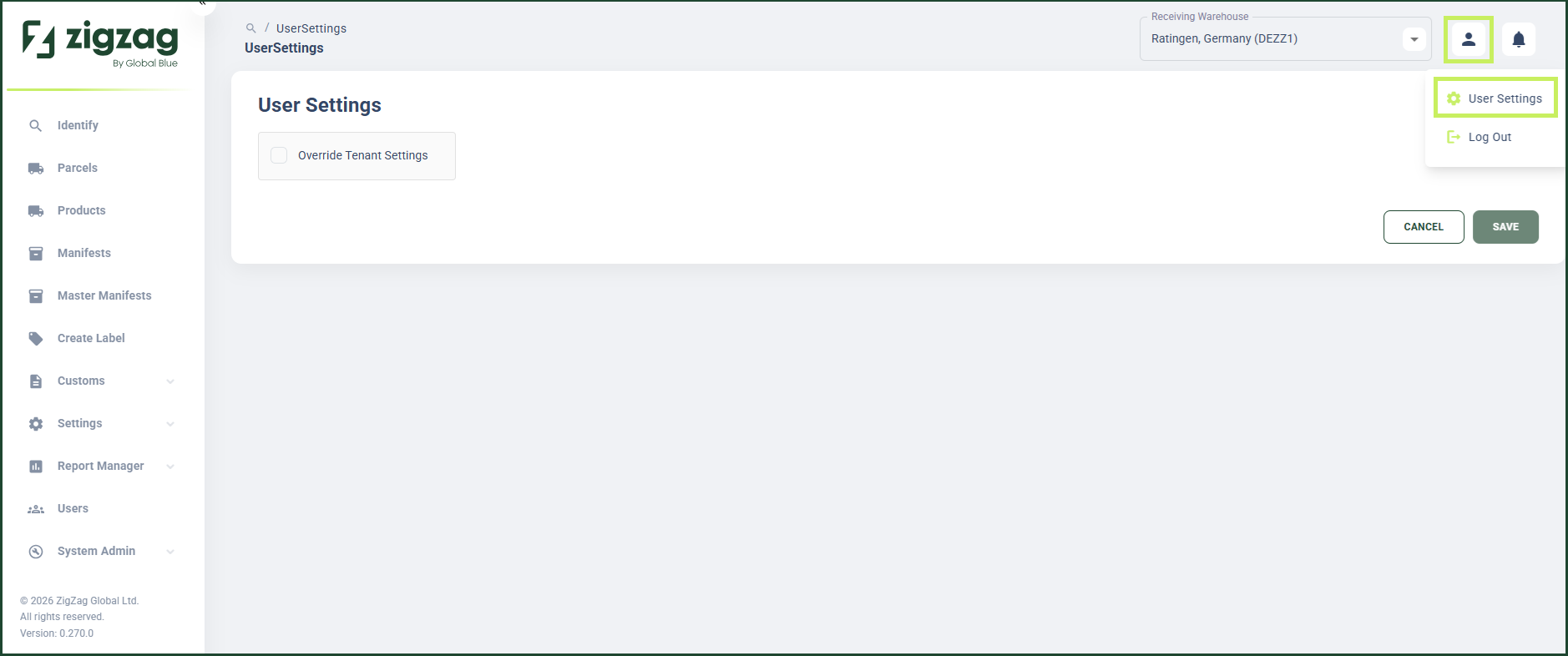
- In the User Settings page, you can override the tenant settings by checking the Override Tenant Settings checkbox. The Parcel Search Filter section appears below.
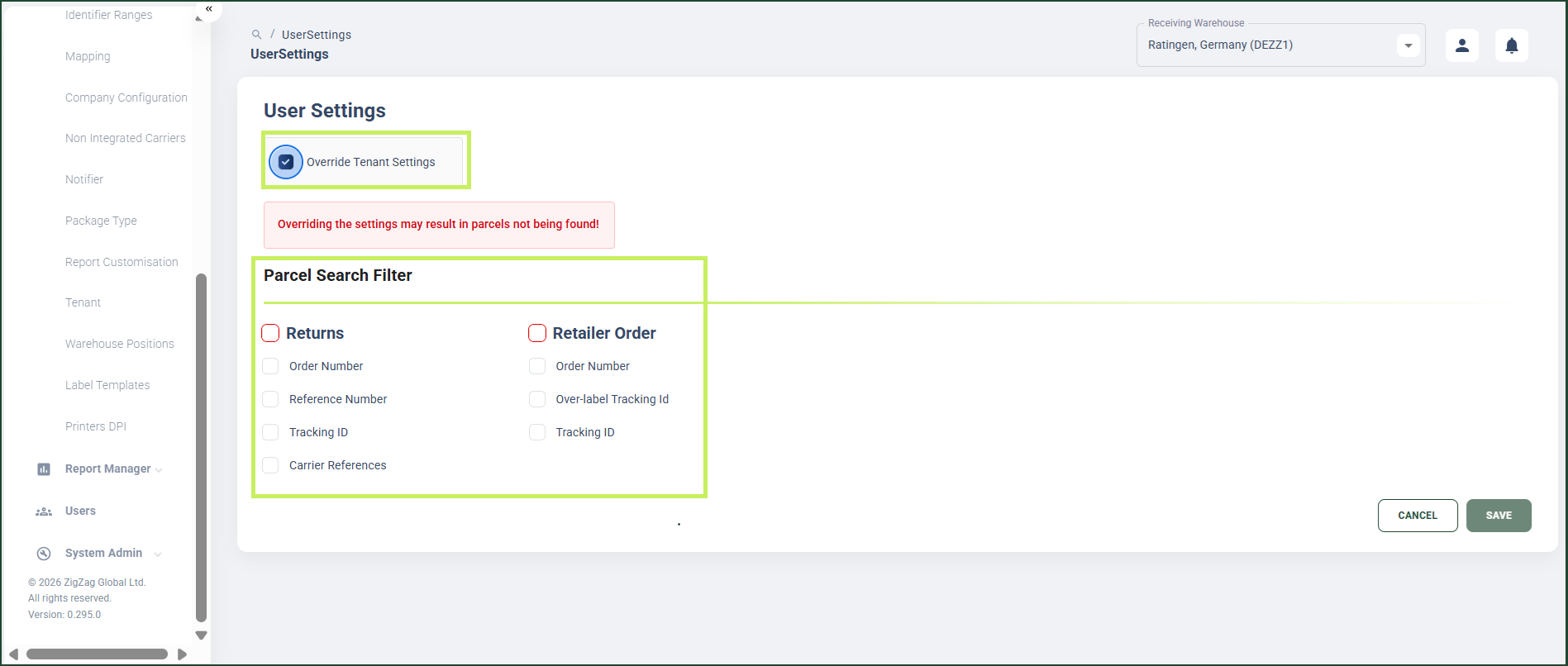
- In the Parcel Search Filter section, check the radio button for at least one of the two main filter items:
- Returns
- Retailer Order
- Under the main filter item/s you checked, check the radio button for at least one sub-filter item. The options are:
- For Returns main filter item:
- Order Number
- Reference Number
- Tracking ID
- Number ranges
- Carrier References
- For Retailer Order main filter item:
- Order Number
- Tracking ID
- Overlabel Tracking ID
- For Returns main filter item:
- Click Save.