How to create a user
Overview
ZigZag’s RMS makes it easy for your authorised team members to manage access and onboard new users efficiently. You can create and activate users, ensuring secure and controlled permissions within each tenant.
How to create a user
- Log in to ZigZag Global RMS.
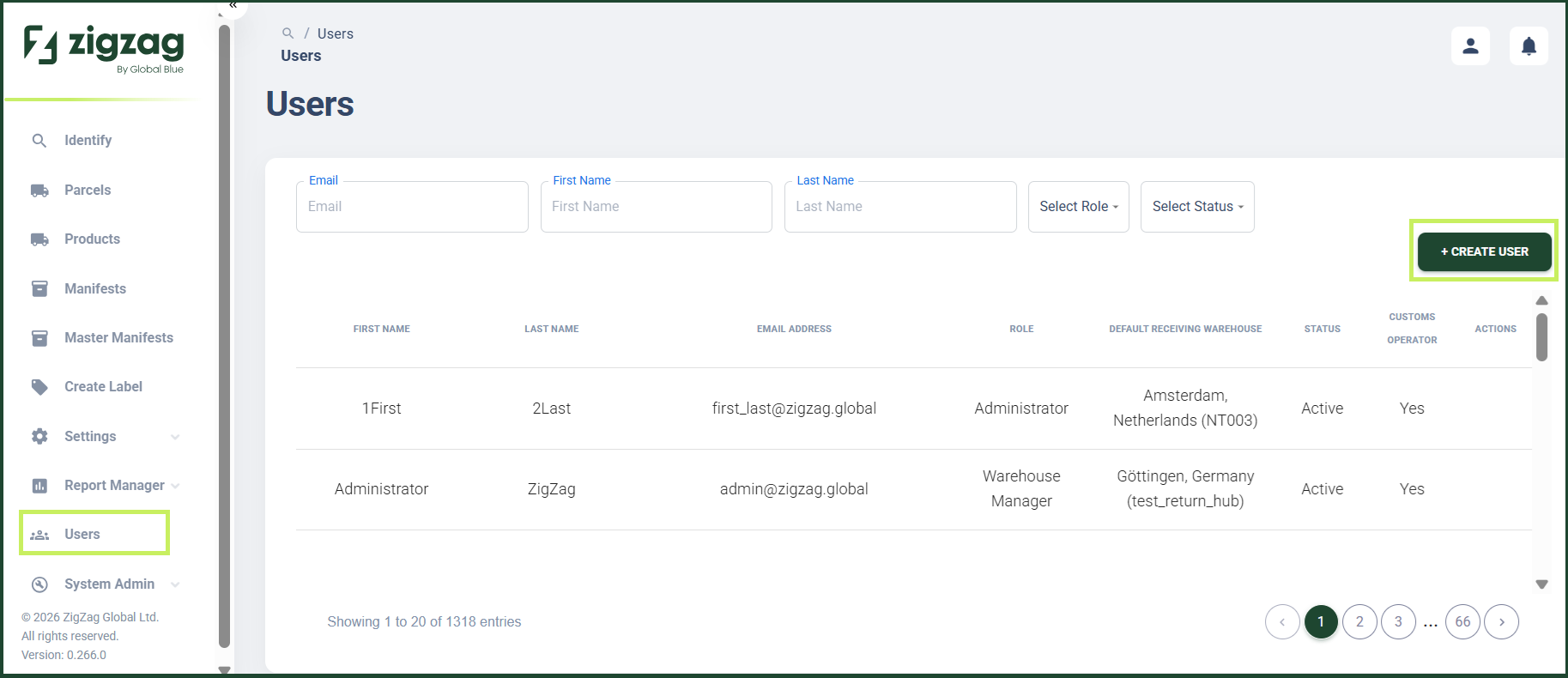
- On the sidebar menu, click Users. The Users page appears on the right. Here you can view a list of all RMS users.
- On the Users page, click the Create User button.
A Create User dialog window appears.
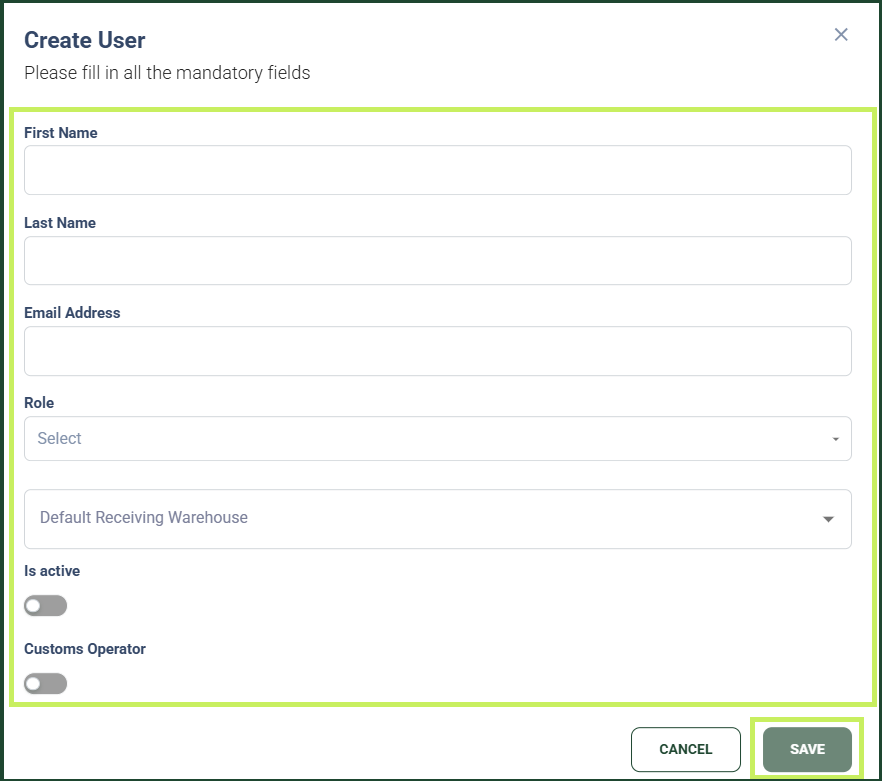
4. In the Create User dialog window, fill in the following fields:
- First name - fill in the first name of the user
- Last name - fill in the last name of the user
- Email - fill in the email of the user
- User role - from the dropdown menu, select the role of the user
- Default Receiving Warehouse - from the dropdown menu, select the default receiving warehouse for the user
- Active toggle - switch the toggle to activate the user
- Click Save.