How to view a Master Manifest report
Overview
The RMS Master Manifest report provides a clear, consolidated view of all parcels grouped under a master manifest, giving you accurate, real‑time operational insight. Built with configurable filters and export options, it allows you to quickly generate reports tailored to your workflows - ensuring easier tracking, performance monitoring, and compliance across receiving warehouses. RMS ensures data accuracy by capturing warehouse‑specific information such as time zones, status timestamps, and carrier details, supporting more reliable reporting and seamless downstream processes.
How to view a Master Manifest report
- Log in to Returns Management System (RMS).
- On the sidebar menu, click Master Manifests. The Master Manifests page appears on the right.
- On the Master Manifests page, you can filter to view master manifests based on the following criteria:
- Status - from the dropdown menu, select the status of the master manifests you want to view
- Master Manifest ID - fill in the Master Manifest ID
- Reference 1 - fill in Reference 1 number
- Reference 2 - fill in Reference 2 number
- Date opened - from the dropdown selector, select the date the master manifests are opened
- Date closed - from the dropdown selector, select the date the master manifests are closed
- Carriage Reference - fill in the carriage reference of the master manifests you want to view
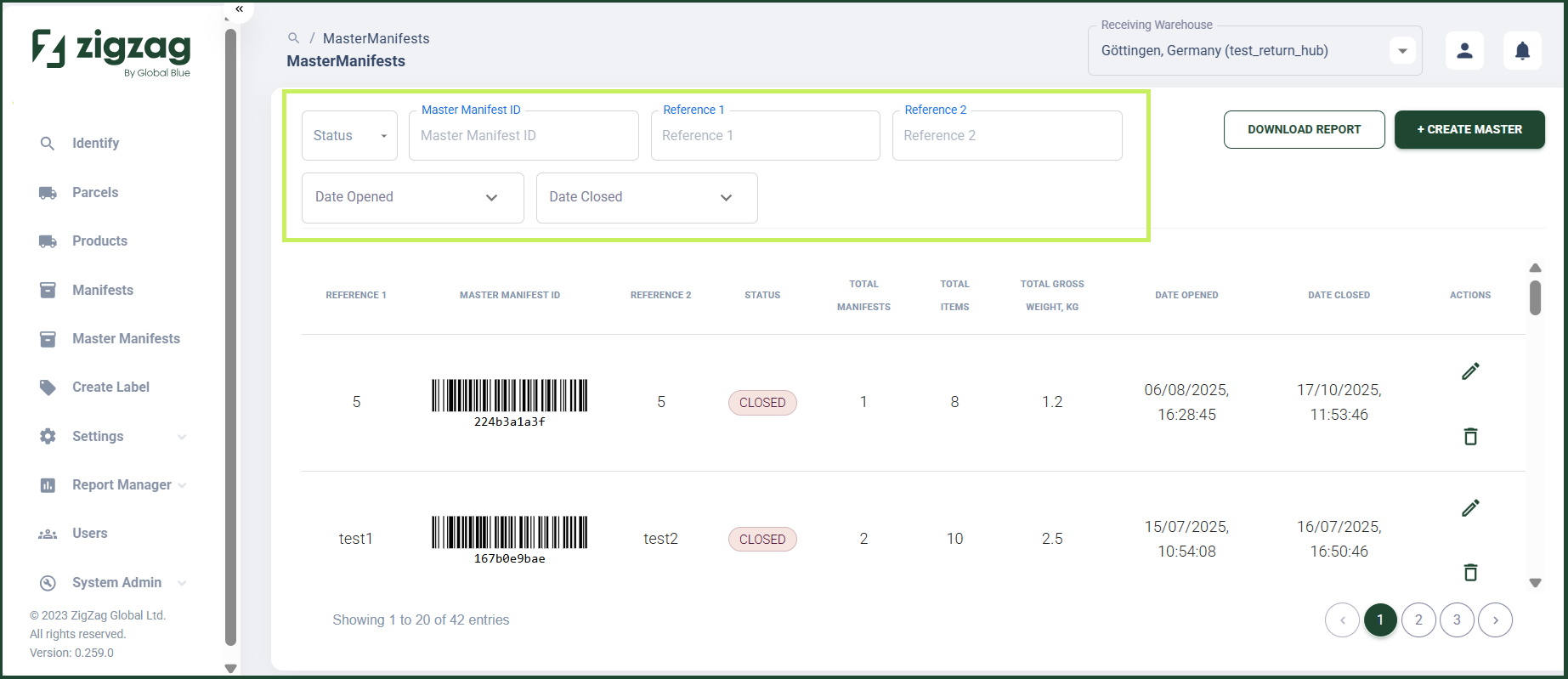
- After you apply the filters you want, you are able to view a filtered list of master manifests organized in a table with the following columns:
- Reference 1
- Master Manifest ID
- Reference 2
- Status
- Total manifests
- Total items
- Total gross weight, kg
- Date opened
- Date closed
- You are able to download the table by clicking the Download Report button.
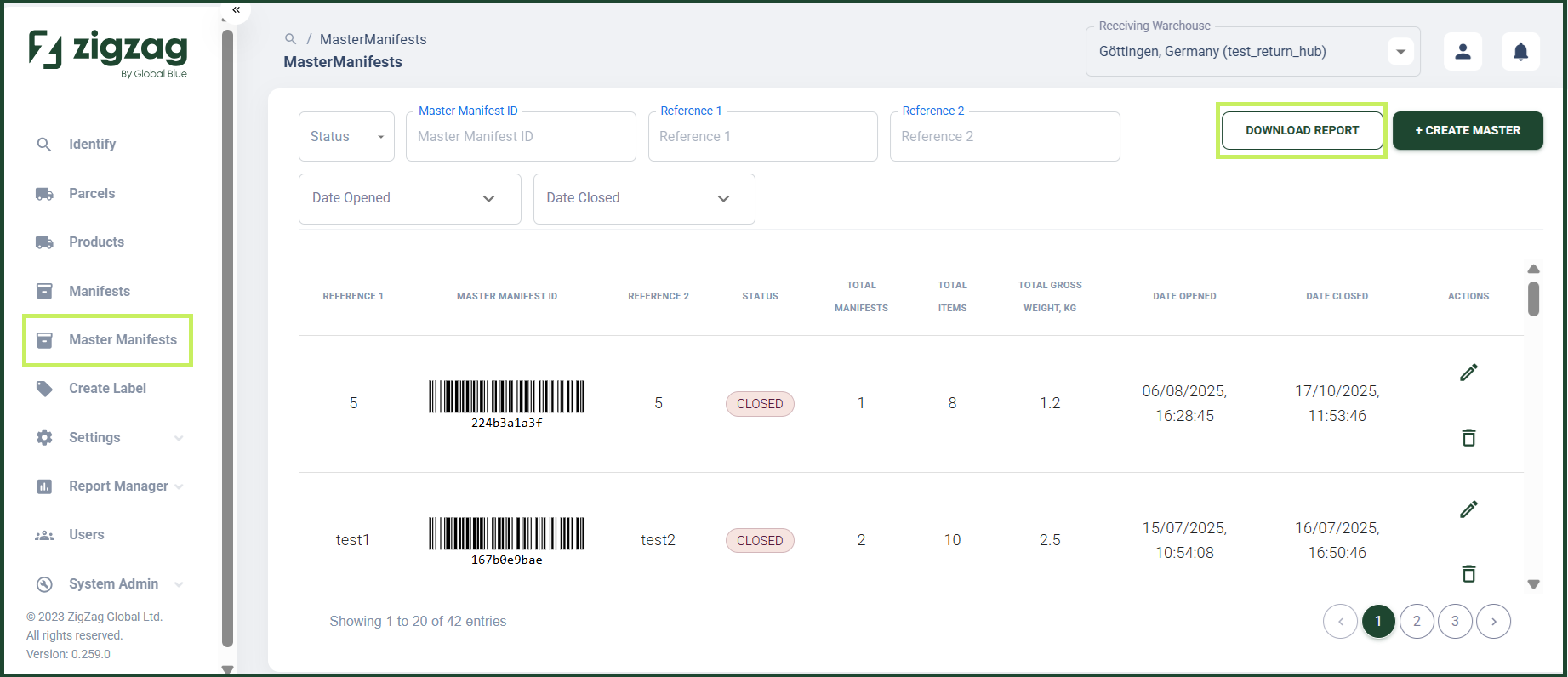
A Download Report dialog window appears.
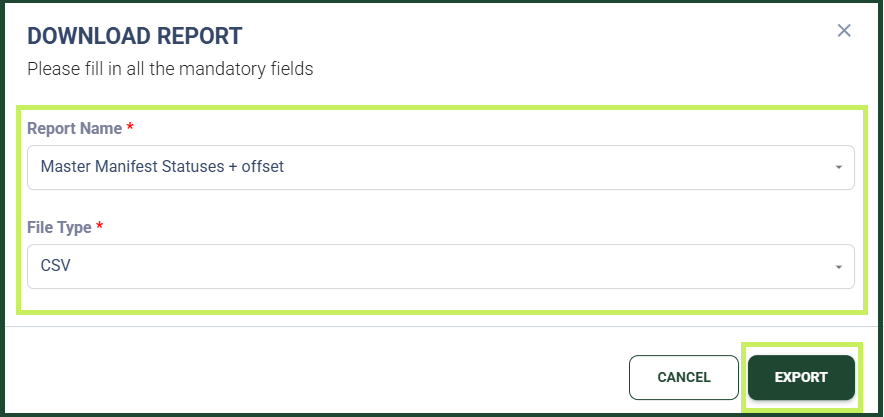
- In the Download Report dialog window, fill in the following fields:
- Report Name - from the dropdown menu, select the report name for your report download
- File Type - from the dropdown menu, select the file type for your report download
- Click Export. The Master Manifest report will be downloaded on your device.