Smart Delivery Estimate (SDE)
This feature is not activated by default. Please contact your Account Manager or our support team - support@zigzag.global
Overview
Smart Delivery Estimate (or SDE) is a feature that allows you to communicate the estimated delivery date to your customers.
This date can be displayed on any page of your e-commerce site, and even on your Shipup tracking page and notifications.
Smart Delivery Estimate allows you to:
- Increase your conversion rate during checkout
- Reduce the number of support tickets thanks to accurate data
- Improve customer experience by giving a precise estimated delivery date instead of the classic "delivered in 3-5 business days"
- Reduce the number of failed deliveries by having someone ready to receive the package on the estimated delivery date
Smart Delivery Estimate for pre-purchase
Smart Delivery Estimate (SDE) calculates an estimated delivery date by calculating :
- shipping time
- following rules
- and delivery time (algorithms and AI rules)
You can display the estimated delivery date on your pages:
- Product
Display a countdown timer on your product page to create a sense of urgency and speed up purchasing decisions. - Cart
Let your customers choose the delivery method that best suits their needs, with all the visibility they need to make the right decision. - Payment
Give your customers control over delivery times and costs according to their needs and preferences. Offering customised shipping options with delivery times at checkout is the best way to avoid last-second cancellations.
Smart Delivery Estimate for post-purchase
The Smart Delivery Estimate engine after each tracking event to update our estimated delivery date on your tracking page if the package has encountered any problems during the shipping process.
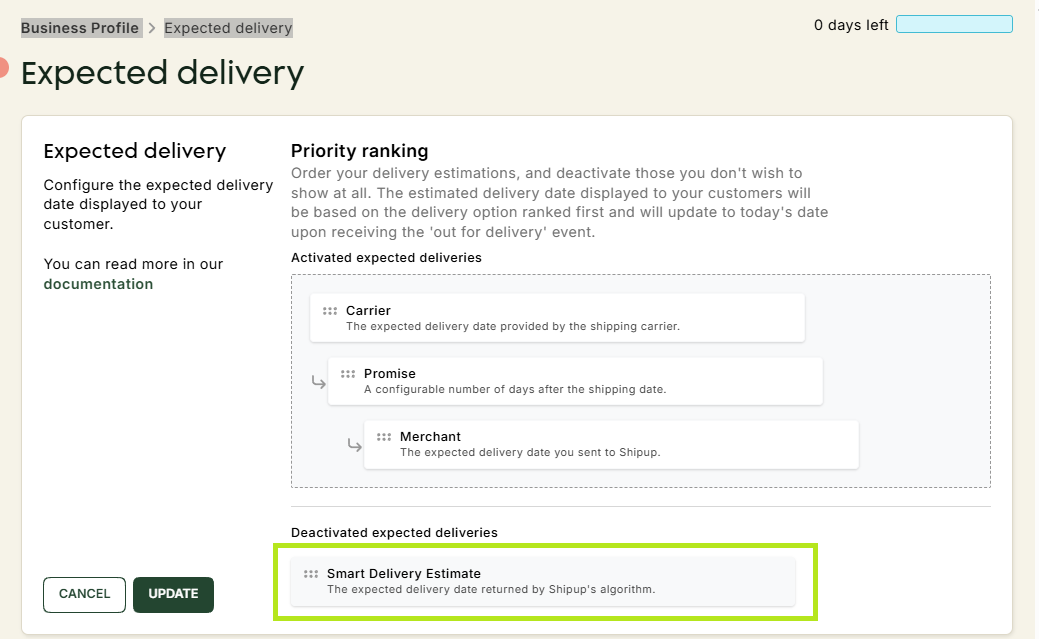
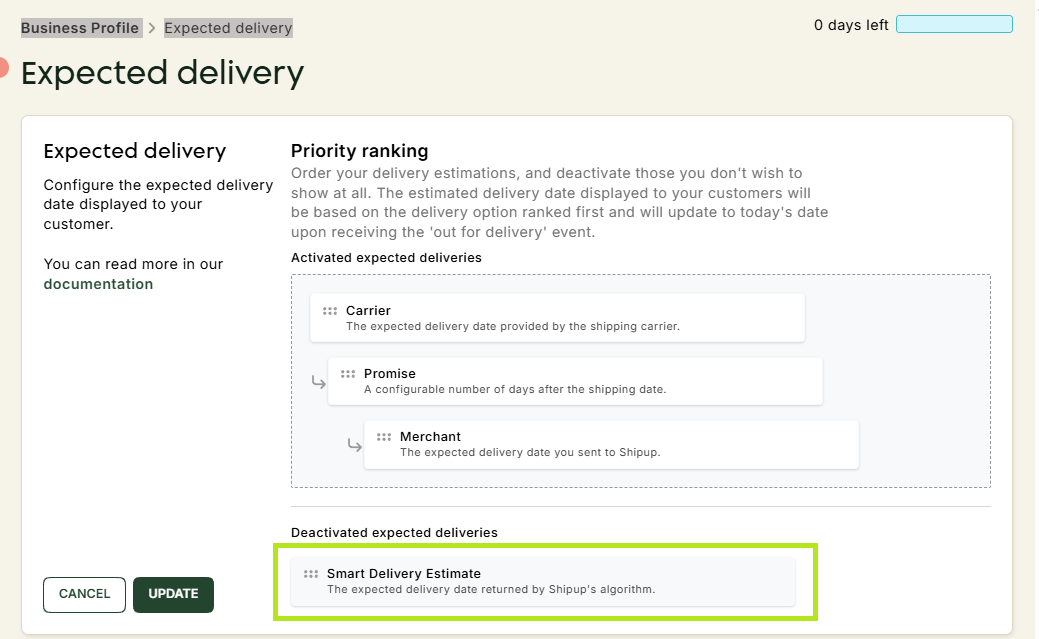
How to display the Smart Delivery Estimate estimate on the tracking page?
- Navigate to Business Profile -> Expected delivery
- Move the Smart Delivery Estimate box to the first position in the tab.