Order Ingestion Magento Onboarding
Overview
This guide provides you with a high level step-by-step instruction on how to create the ZigZag Order Ingestion Magento API Integration.
Note before you start
Magento Sandbox/UAT stores require ZigZag IP addresses to be whitelisted to enable the integration.
Please contact your ZigZag representative for the latest list of IP addresses.
How to create Order Ingestion Magento API integration
- From the left-side menu of your Magento portal, select the System option and then Integrations.
- You will see the list of available integrations. Select Add New Integration.
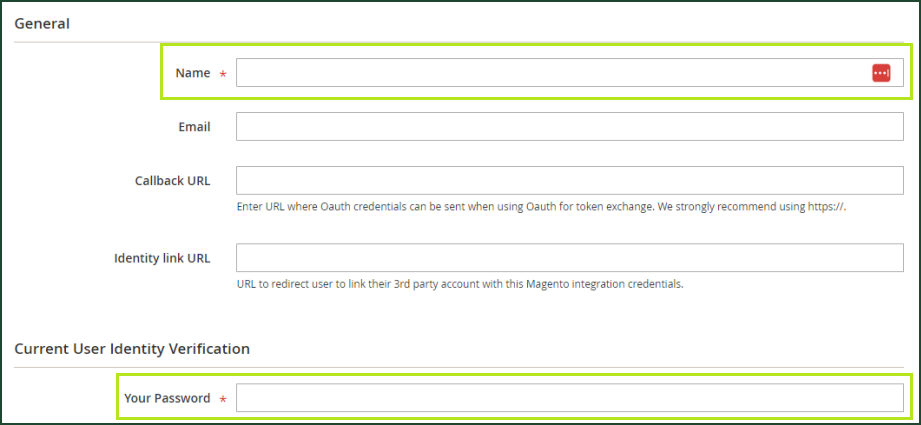
- Add "ZigZag Global" as the name and enter the logged in user’s password.
- Save the integration and note the Access Token to provide to your ZigZag representative.
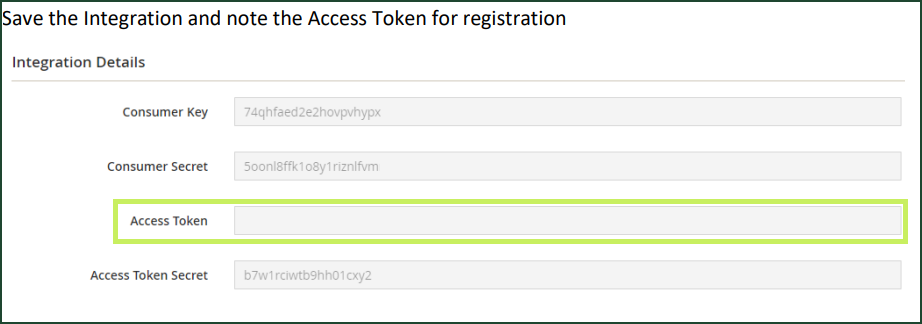
- Under the API settings, ensure the following custom scopes are enabled.
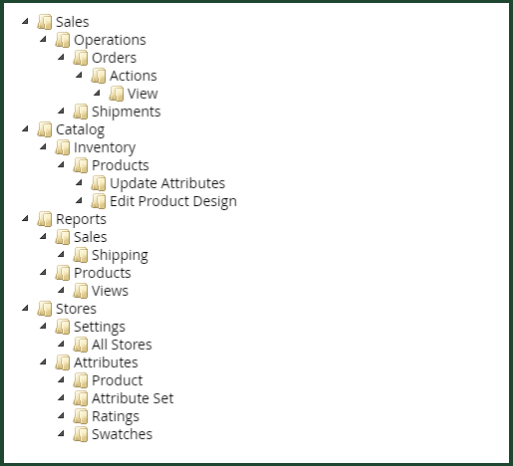
ZigZag required information:
- Magento Store Name
- Magento Token
- Access Scope
The status of an order must be "Complete" to allow a return.
How ZigZag Order Ingestion works with Magento
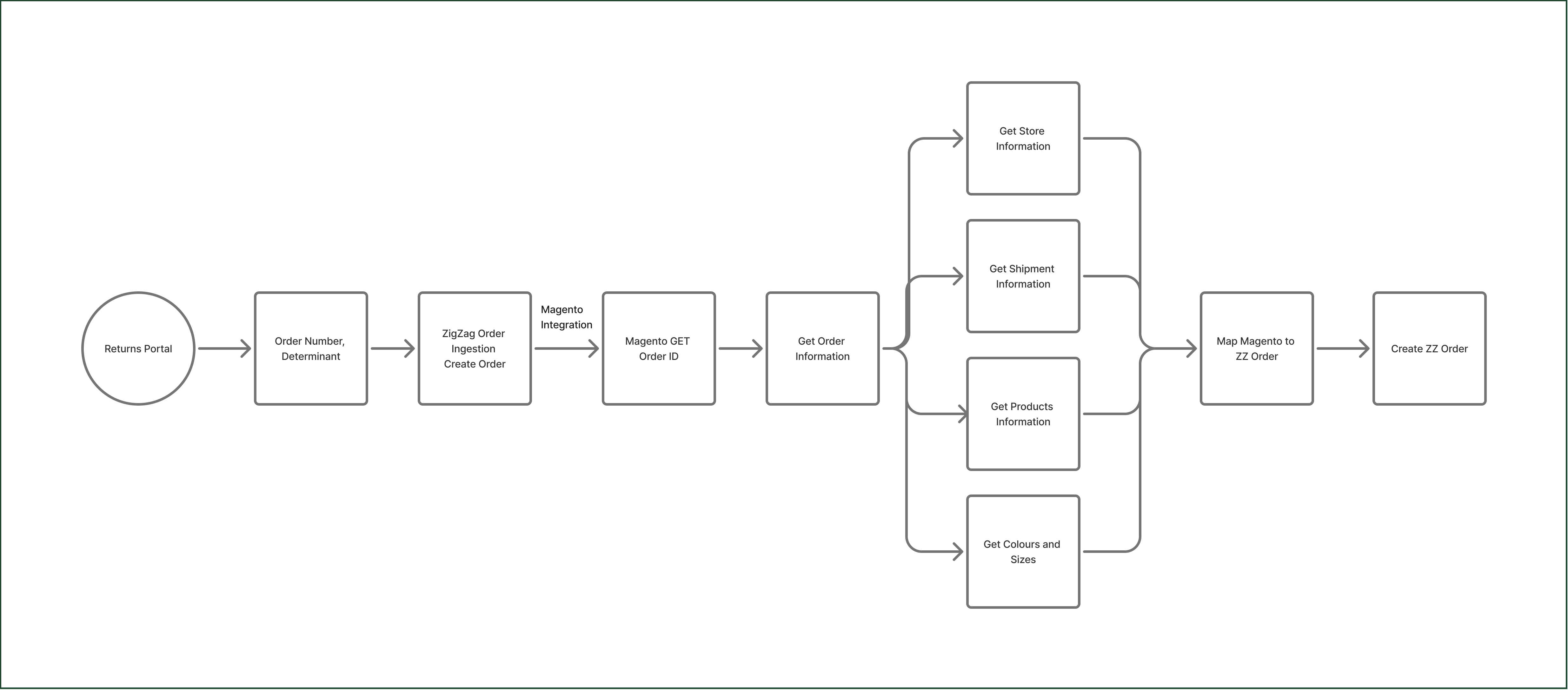
When the user enters the order number on the returns portal, ZigZag Order Ingestion system makes a request to Magento to find an order with the same order number. If the order is found, ZigZag Order Ingestion makes several requests to Magento to get the specific order data regarding store, shipment, products, colours and sizes. When the information is provided, ZigZag Order Ingestion maps the data and stores it within the system.