Order Ingestion Linnworks Onboarding
Overview
This page will guide you how to create the ZigZag Order Ingestion Linnworks Integration.
How to install Linnworks
- Log into your Linnworks portal.
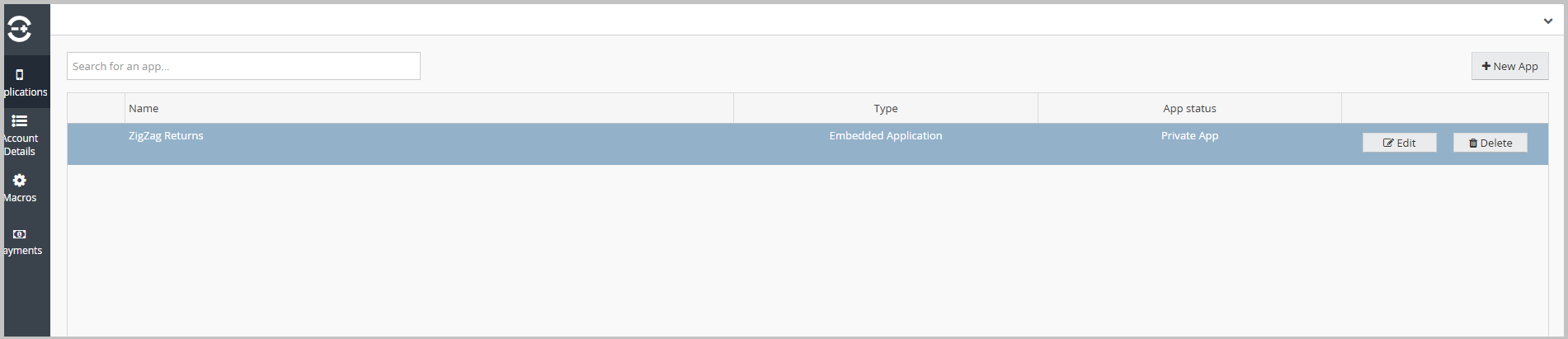
- Create a new application in the Linnworks portal.
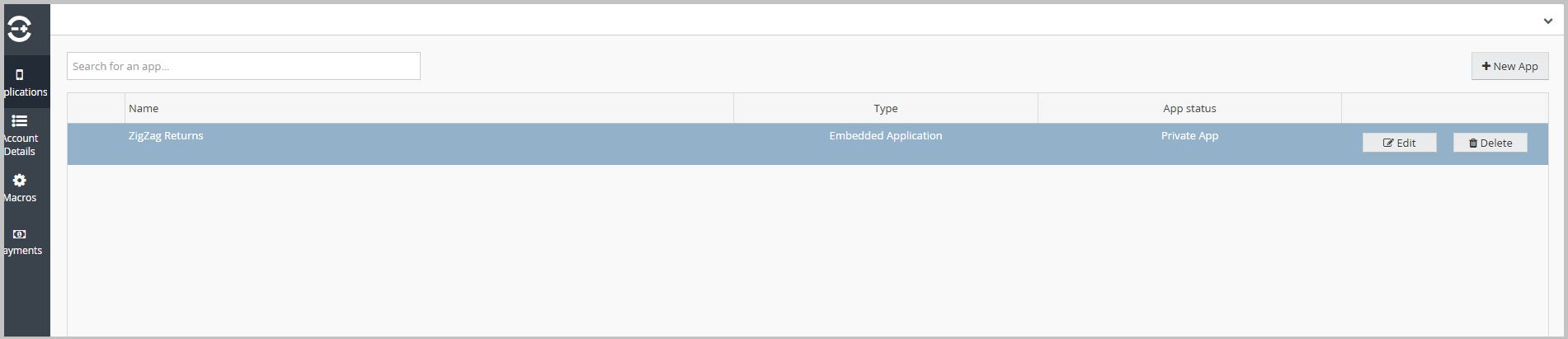
- Open the details of the newly created application.
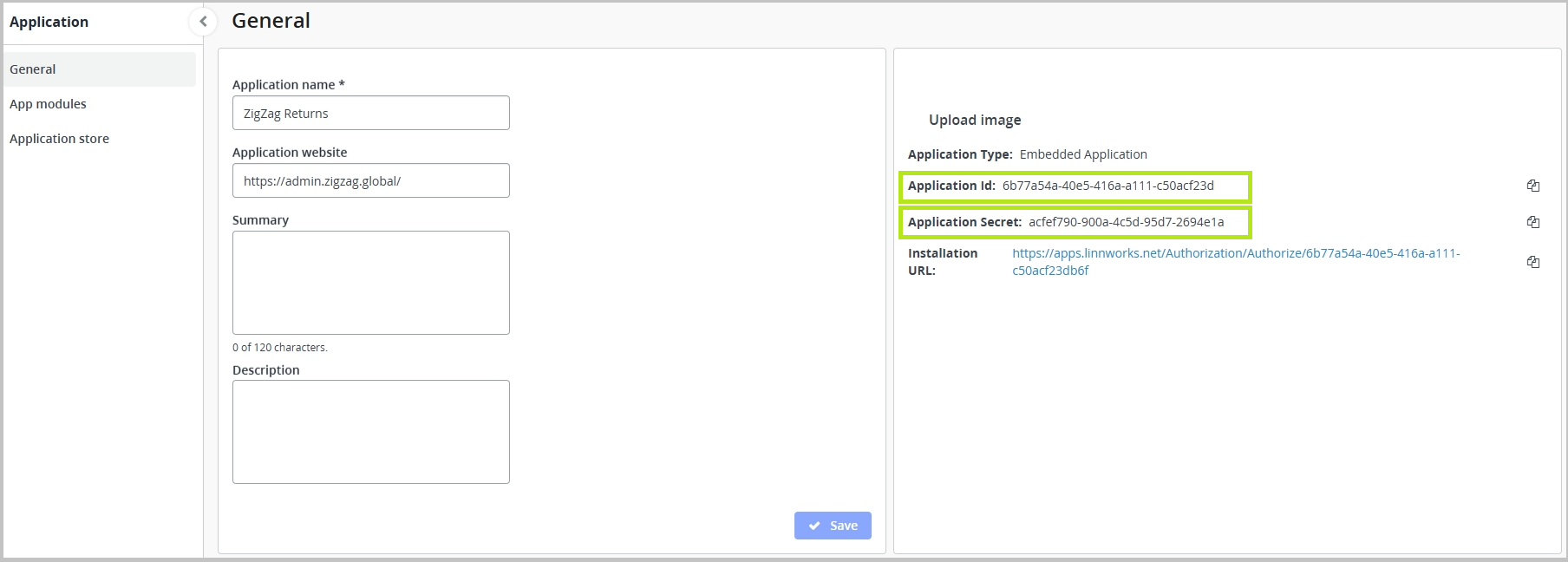
- In the Linnworks portal, click Edit next to the application, then copy the Application ID and Application Secret.
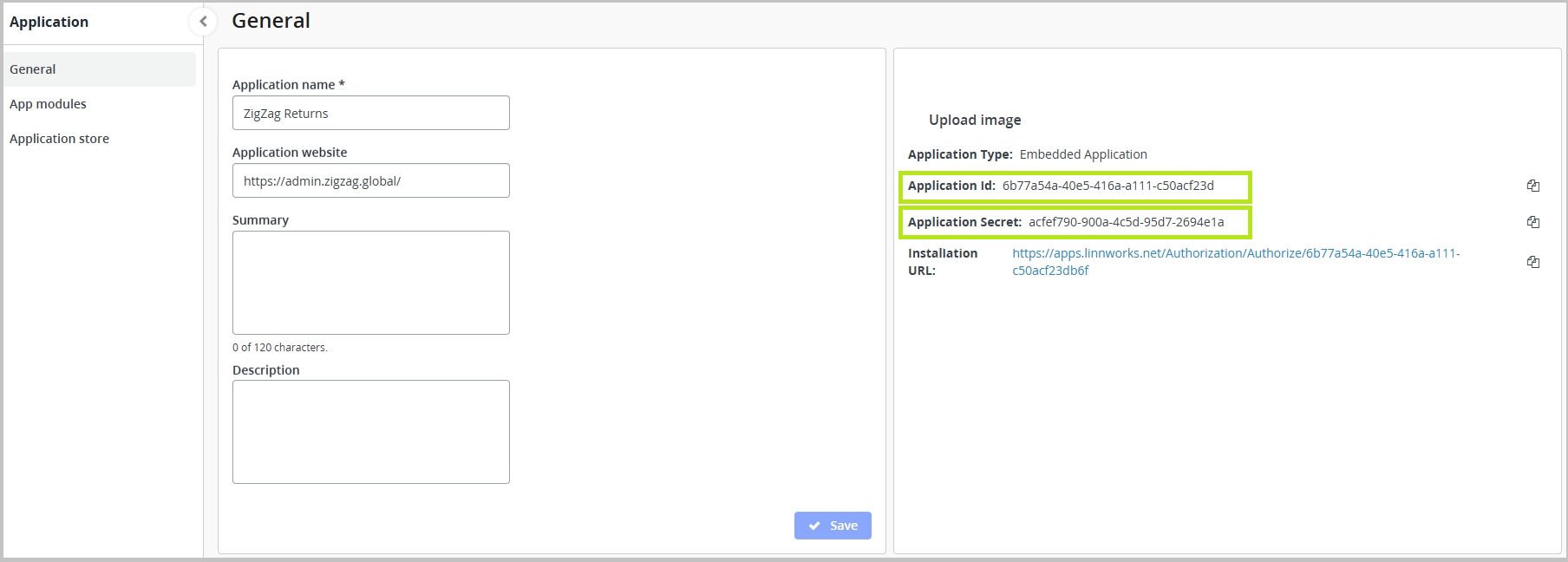
- Obtain an Access token. To do so:
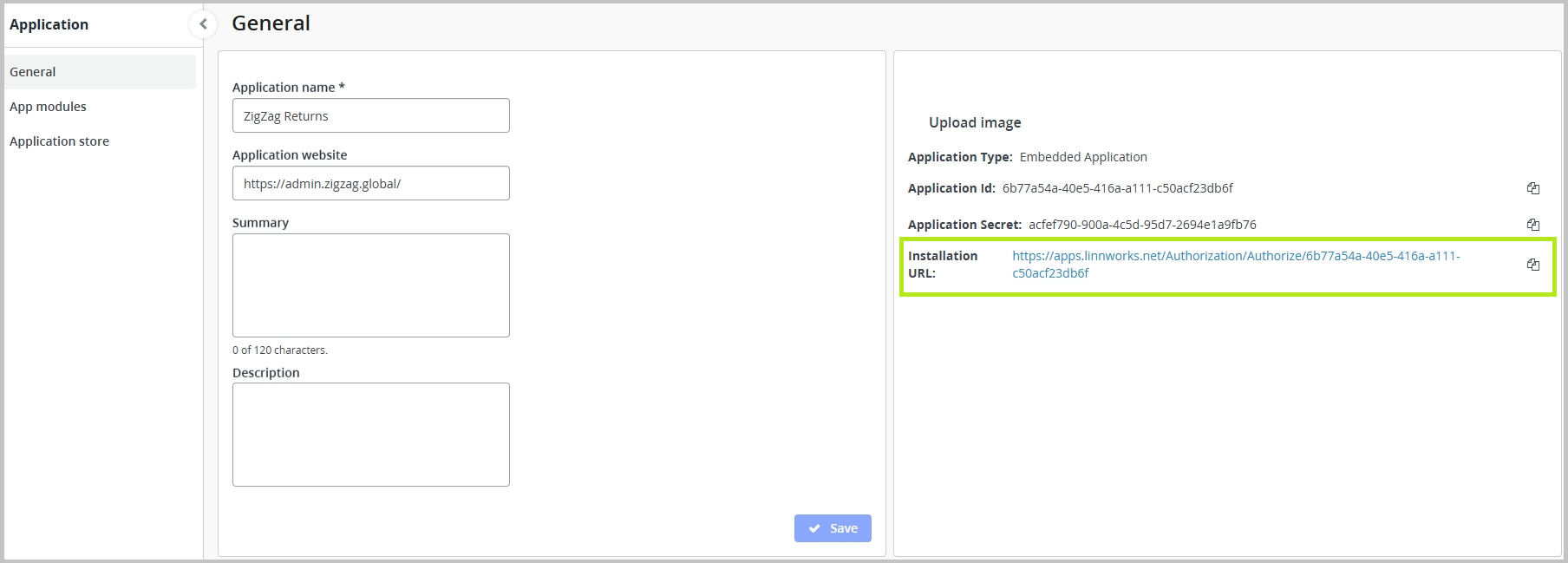
5.1 In the Linnworks portal, click Edit, next to the application. 5.2 Click the Installation URL
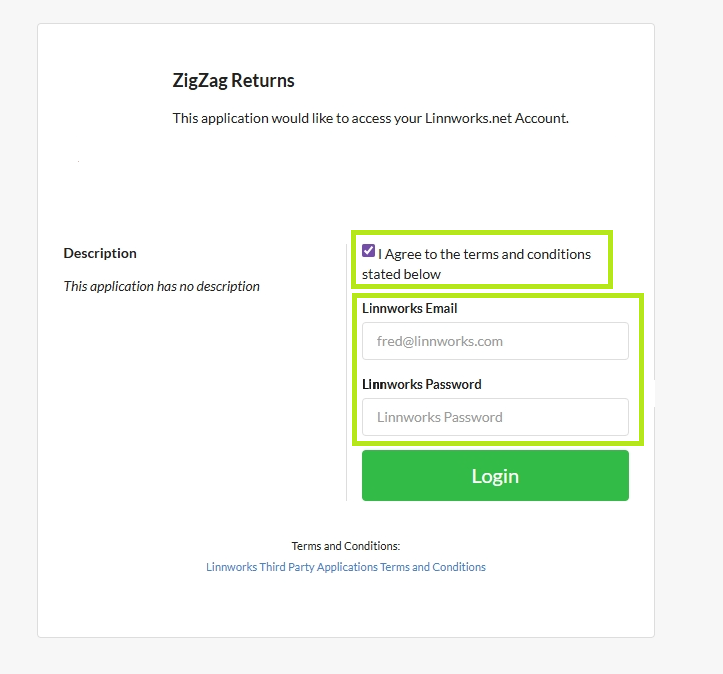
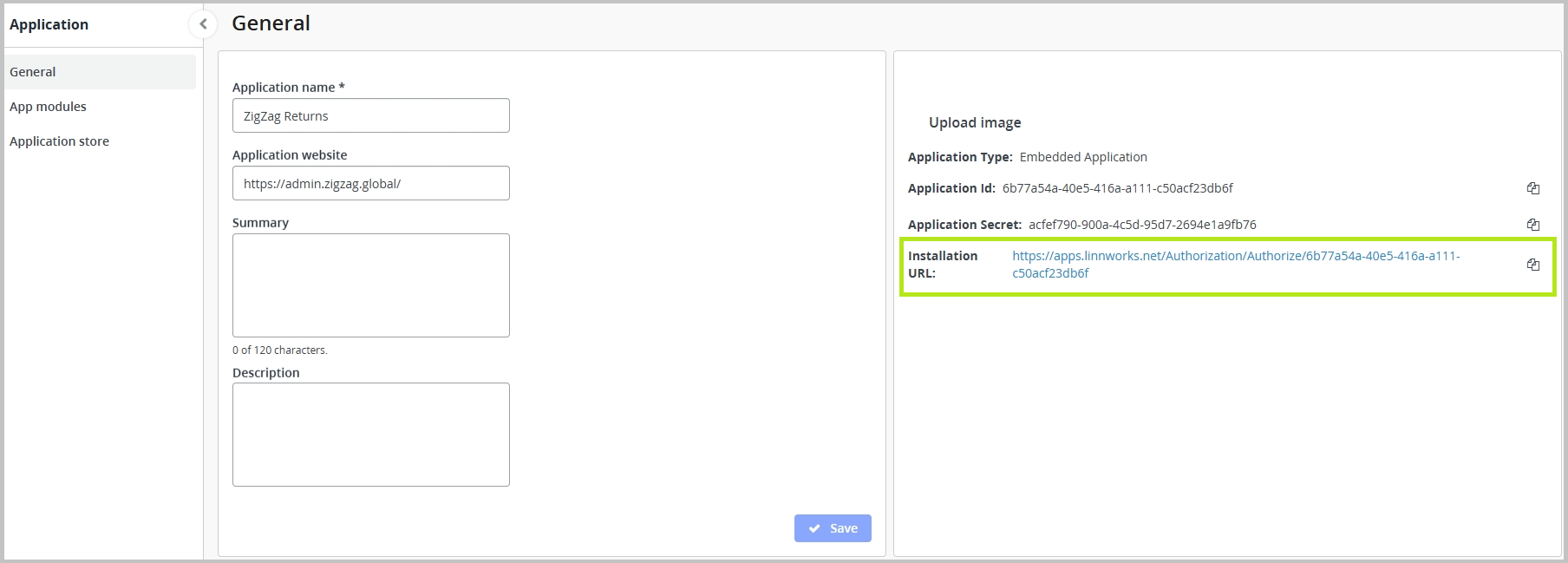 5.3 Agree to the terms and provide Linnworks Email and Linnworks Password.
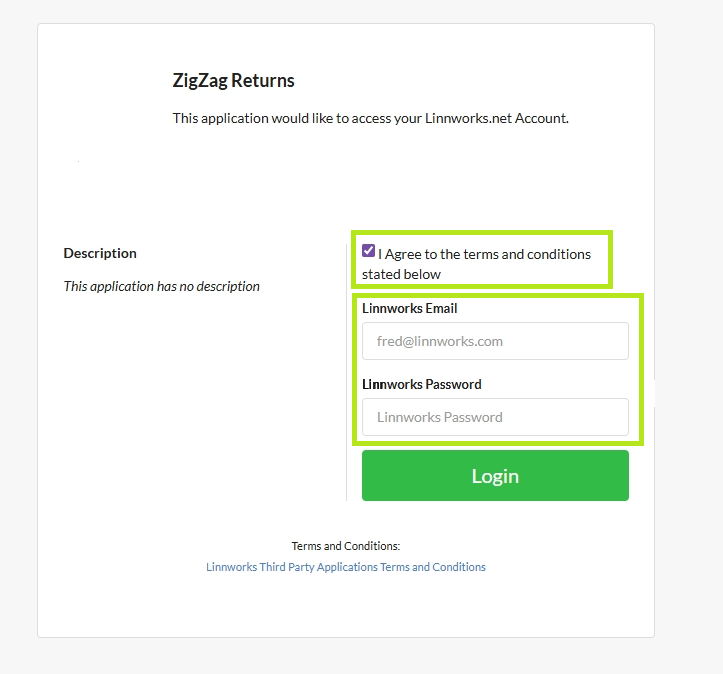
5.4 Click Login
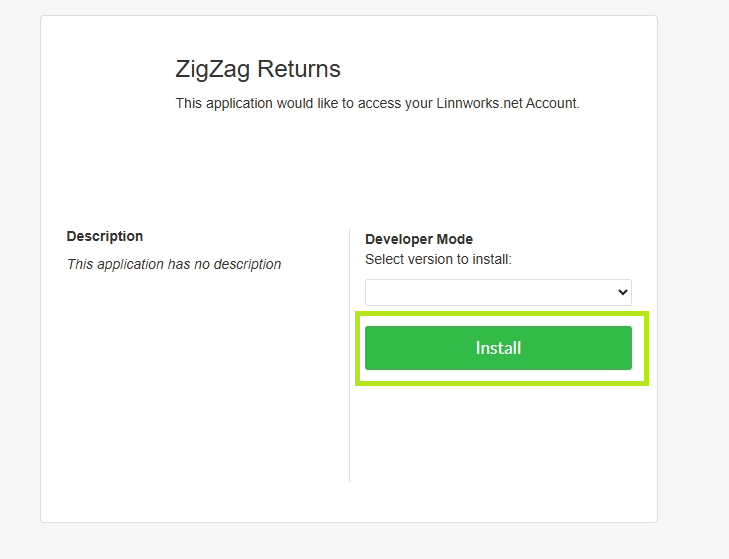
5.5 Once logged in, click Install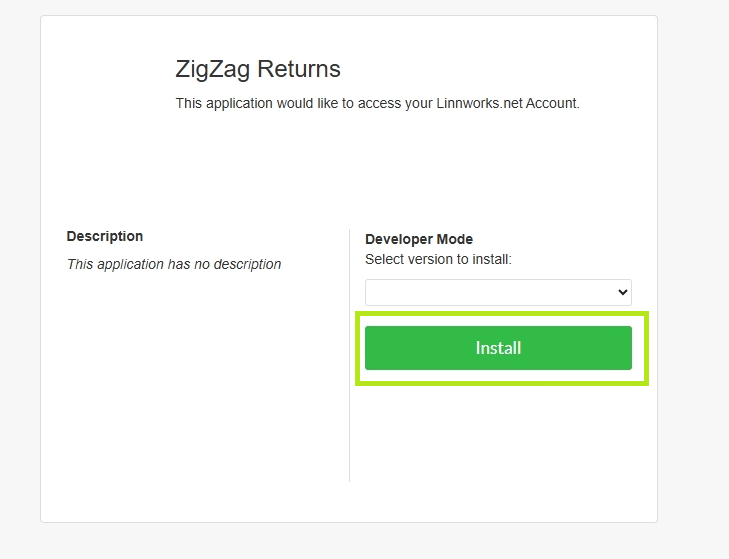
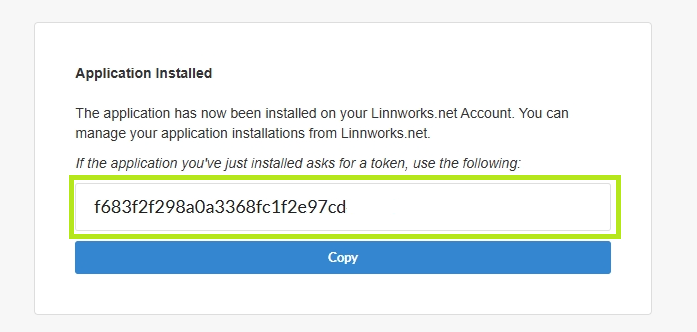
5.6 You will now see the access token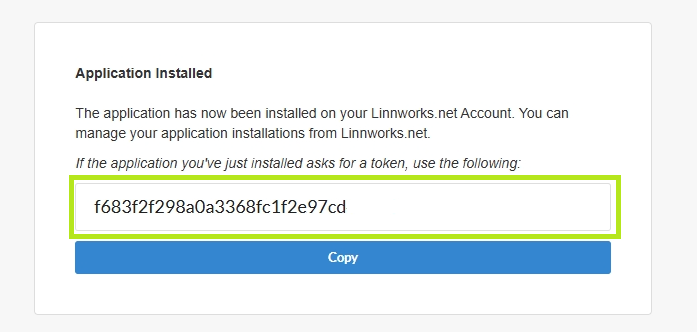
Once obtained, the token is also visible here:
- Share the Application ID, Application Secret and Access token with ZigZag so that your Linnworks integration can be completed.