Shopify
How to connect
- Navigate to the Portal Settings -> Notification Settings ->Integrations tab.
- Click Add an integration.
- Click Shopify.
- Enter your store's URL and click Connect.
Shopify tags
What are Shopify tags?
Shopify tags allow you to add tags to any aspect of an order in your Shopify account:
- products
- orders
- customers
- and more!
This is an internal tool, displayed just for you, but can be used to:
- categorise products
- organise search results for customers
- identify orders that meet given criteria and use them in other tools (i.e. Klaviyo)
- to personalize the wording of your notifications using the Shopify Tag as a variable with Liquid
With this feature, you can further personalise your post-purchase experience.
What do Shopify tags look like in ZigZag and what do they do?
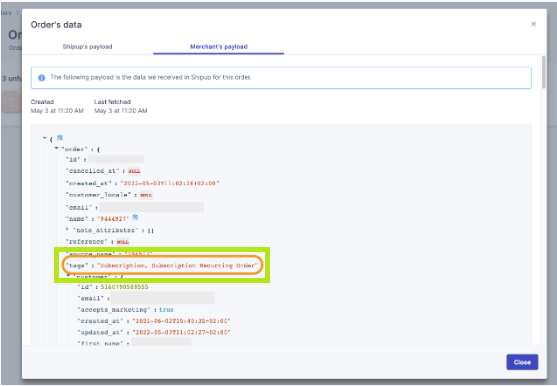
When retrieving order information from Shopify, Shipup also extracts Shopify tags and stores them. The format used to store the tags is - tags = "tag_1,tag_2
Once Shipup has received the tag information, it can be used to personalize virtually any text displayed to the end customer with Liquid language.